








Service Automation – Products
The HelloID Identity and Access Management (IAM) solution from Tools4ever makes it possible to work with self-service products, also known as Service Automation products. These products allow end users, managers, and product owners to request additional permissions, applications, or other items on their own. They increase business self-sufficiency, improve productivity, and reduce pressure on the service desk. In this blog you will learn more about Service Automation products and we help you get started with them.
Working with Service Automation products offers several benefits. It makes permission management more flexible, ensures the organization retains full control over authorizations, and elevates service delivery to the business. Self-service products operate outside the central authorization matrix, where baseline permissions are defined and assigned. The products are ideal for organizations that work with flexible roles such as temporary workers or contractors.
For which requests can you create products?
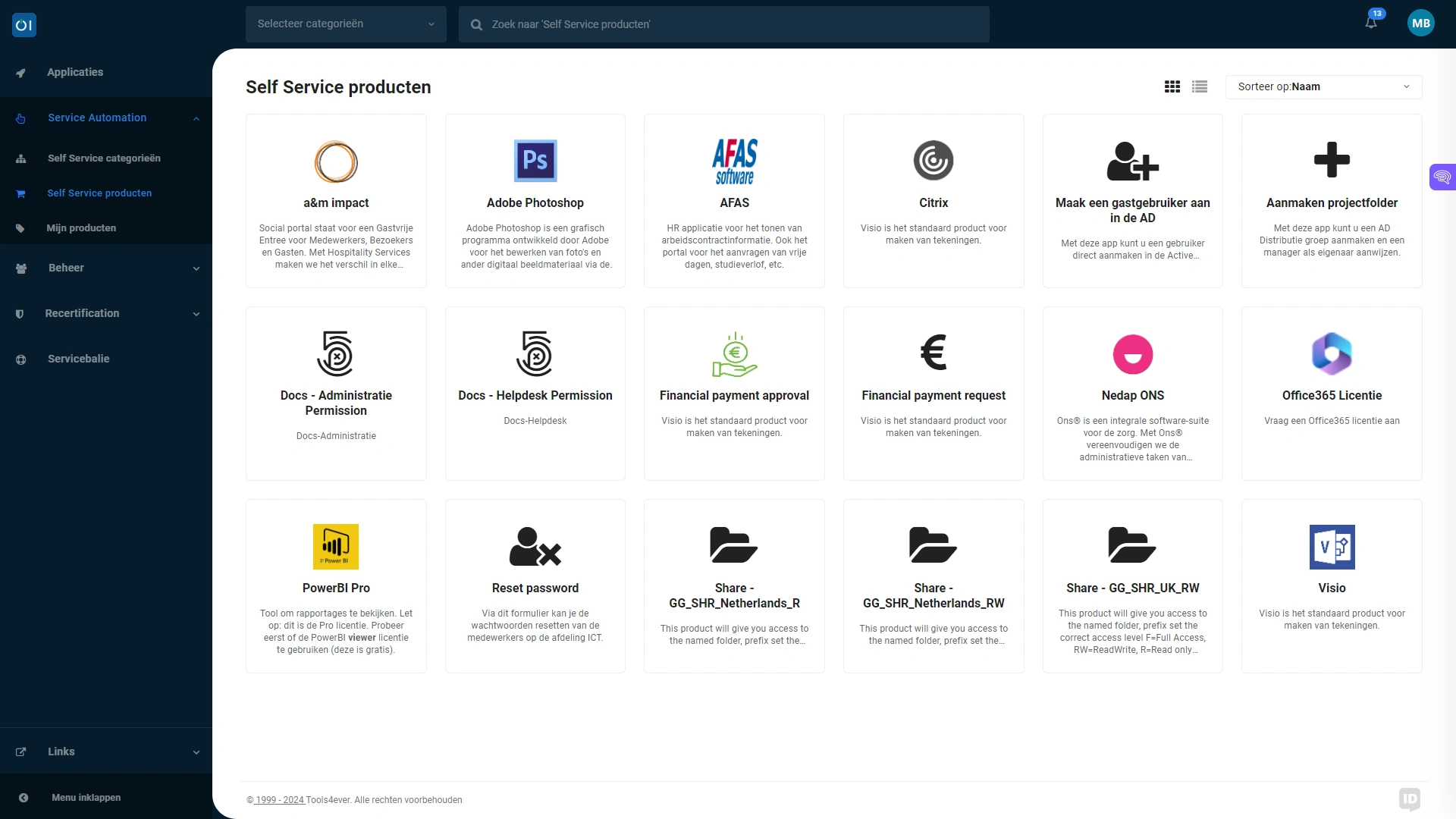
The requests you can automate through Service Automation products are diverse. Examples of products we frequently see are related to requests for:
Application permissions and licenses
Access to project folders
Permissions related to shared mailboxes
Guest accounts
New mailbox
Permissions within applications
Setting up products in HelloID
Do you want to start using self-service products in HelloID? You must first configure products in HelloID. This can be done in different ways. You can create products manually and copy and edit existing products. You can also automate this process based on existing permission groups.
Manual
Creating products manually is a commonly used approach when initially setting up Service Automation products. For example, for requesting Office 365 licenses, access to frequently used applications, or hardware available through an IT Service Management (ITSM) system. Cloning and editing existing products can save significant time and improve efficiency. The actions related to products can vary widely. The most common action is assigning a specific permission group to a user. You define the action that HelloID performs based on a specific product in a PowerShell script. This script gives you full control and allows you to define actions in detail. You do not always need to create a PowerShell script from scratch. For common actions, HelloID provides code snippets that you can easily import into a PowerShell script. This gives you an immediate foundation to build on to deliver the right actions. It saves considerable time.
Product synchronization
Some products you want to assign are essentially one-to-one with permission groups, such as access to a shared mailbox, a shared folder, or a group that grants specific permissions. Product synchronization helps you set this up quickly and easily and allows these specified permission groups to be imported directly as products. At the same time, you can take over the current status of assigned permissions so that HelloID manages them immediately. This gives you optimal visibility into authorizations and lets you address clutter right away. This is convenient because it saves administrators a lot of time and ensures that permissions remain up to date.

Dynamic Forms
In some cases you do not want to assign products based on a permission group. For example, because the assignment requires specific information that the requester must submit. Consider creating a new guest account or a shared mailbox. Dynamic Forms provide the solution in that case. A Dynamic Form makes it possible to request more information than with a standard product. You can include this additional input from the user directly in the actions related to the product. For example, to define the name of an account or the email address of a shared mailbox. In other cases, you use a product to create a ticket in an ITSM system. In this case the handler can add additional information to the ticket. You can present this data in a standardized way and process it as automatically as possible. This approach provides additional flexibility and offers a middle ground between a standard product and a Dynamic Form. Note that this option takes more time to set up and maintain than standard products and Dynamic Forms, and is therefore relevant mainly for specific use cases. It is currently written with two capital letters on your website, which is why we made this choice. This can be adjusted if needed!

Returning products
In some cases products incur licensing costs. Or products grant access to business-critical information. When granting access to products, it is important to plan for revoking these products later. This prevents unnecessary authorizations, reduces the attack surface, and lowers costs.

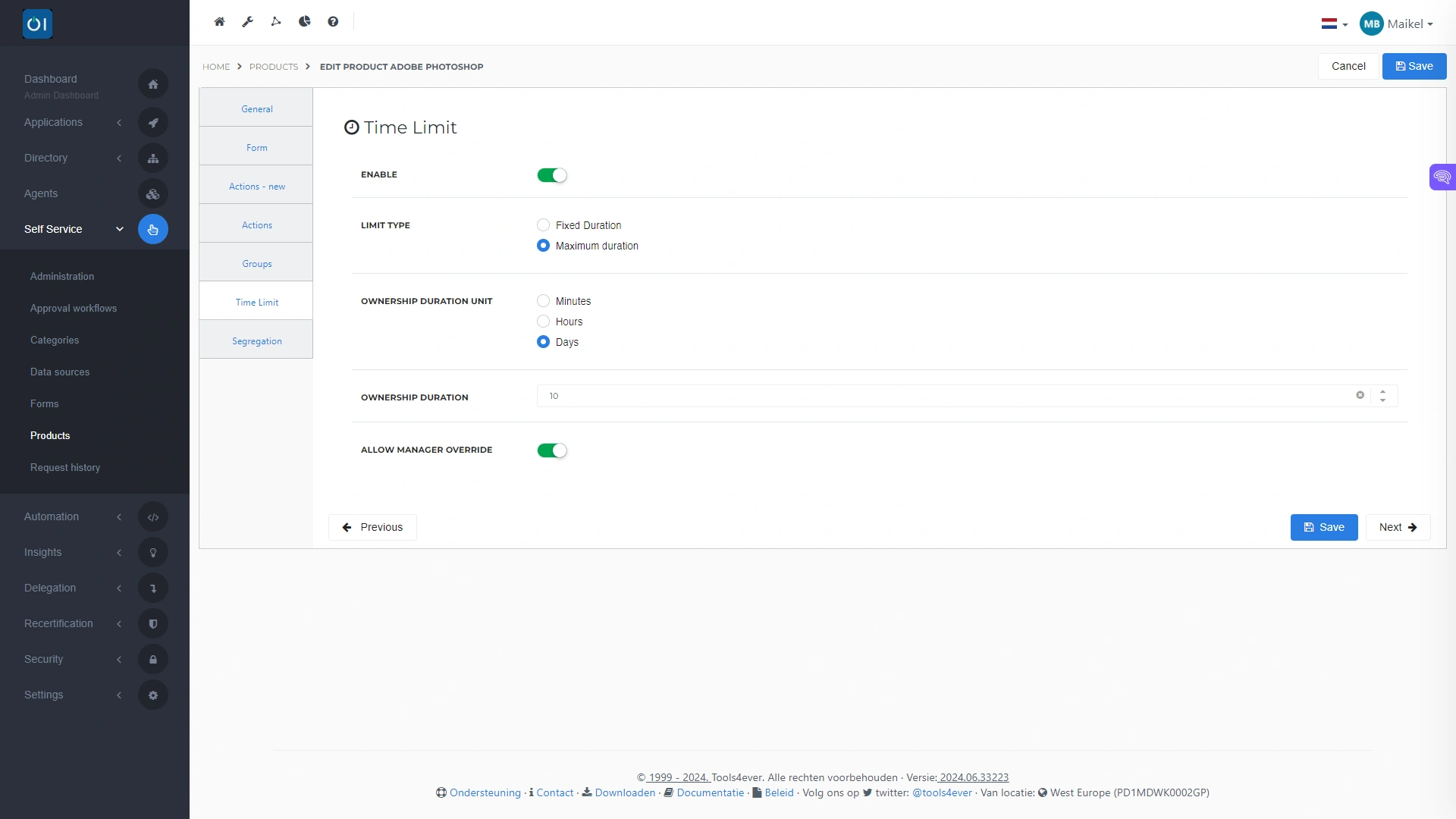
There are several options for this. An end user can return a product, and a manager or product owner can revoke authorizations as well. In practice we often see that revocation does not happen. This is not surprising because it is rarely an immediate priority and can be overlooked. Automating product revocation as soon as certain conditions are met solves this. You can revoke authorizations after a specific period, or when an employee leaves the organization. You can also set a maximum duration after which HelloID revokes the product automatically.
Get started
Service Automation products deliver value for the entire organization. The business gains faster access to the authorizations, accounts, or other products needed to perform work optimally. Self-service products increase business productivity. At the same time the products reduce the workload on the service desk, allowing it to focus on tasks that deliver more added value or require more human interaction.
Do you want to get started with Service Automation products? You can find more information about these products here. Also read our earlier blog about getting started with HelloID Service Automation and working with Delegated forms . Do you have questions or want to consult with one of our experts? Please contact us!