How does automated onboarding, role changes, and offboarding work?
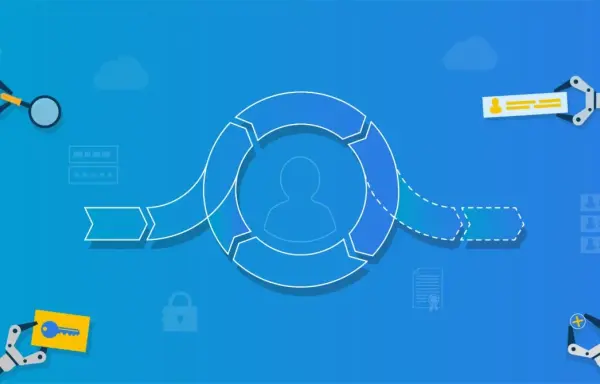
To automatically manage user accounts and their access rights, two components are required: Role-Based Access Control (RBAC) and direct integration between the IAM platform and the HR system.
With RBAC, entitlement assignment is directly tied to roles within the organization. Once you know a person’s role, the RBAC framework automatically determines the corresponding access rights. For example, an administrative employee in a healthcare organization should have access to financial systems but not to medical data in the Electronic Health Record. A clinician should be able to view medical data but not financial information. With our solutions, you can build such an RBAC structure using Business Rules that are easy to configure and change. Tools4ever provides resources such as a Role Mining workshop to develop an initial RBAC model.
You must then know each employee’s role at all times. We achieve this by linking a source system, usually the HR system, directly to our IAM solution. The HR system maintains all personnel data, including each person’s role, and serves as the single source of truth for access management. Role changes are automatically passed to the solution, which then adjusts entitlements to the new role. This enforces the least privilege principle, where each person has access only to the applications and data required for their role. Our solutions assign the correct access at onboarding, update it for job changes, and disable the account when someone leaves the organization.
How do delegated admin forms support the helpdesk?
Users can submit a wide range of service requests, from temporary or additional access to specific applications to account name changes following marriage or divorce. Fulfilling these requests often requires complex updates across multiple business applications and/or Active Directory. The administrative interfaces of these systems are typically complex, require specialized training, and often involve costly administrator licenses. At the same time, organizations do not want to rely solely on highly specialized IT staff to handle routine requests.
Our solutions address this challenge with delegated administration forms. Helpdesk staff work with a simple, task-focused interface tailored to the specific actions they need to perform. Once a form is completed and approved, our solution automatically applies the correct changes across the relevant back-end systems. This enables the helpdesk to handle a broader range of administrative tasks efficiently without extensive training, additional licensing costs, or increased risk of errors while allowing IT specialists to focus on higher-priority initiatives.
Can RBAC be used to automatically manage all access rights?
In short, no. An RBAC model allows us to assign general access rights based on role. For some roles, all required entitlements are clearly defined, enabling fully automated access management. This is common for highly operational roles, such as those found in healthcare. For less well-defined roles, such as a project manager, only a baseline set of access rights is automatically assigned. Any additional access, such as a Visio license for a specific project, must be requested separately. In practice, we often see an 80/20 split: about 80 percent of access rights are automatically assigned through the RBAC model, while the remaining 20 percent are handled through individual requests.
How can managers handle service processes themselves?
For many user requests, the person’s manager is best suited to handle them. The manager can best assess whether someone truly needs a specific license or data access. The manager also naturally monitors licensing costs. Now that delegated admin forms allow helpdesk agents to work more independently, we can enable managers to handle a portion of service requests for their own team using similar forms.
A manager is given access to a user-friendly interface specifically configured for the service action or actions they need to perform. The data from a completed and confirmed form is automatically processed in our solutions and translated into the correct settings in the underlying IT systems. Managers can perform many administrative tasks themselves without training and without additional license costs. This makes service management more efficient and effective, and reduces the burden on the help desk.
How does self-service work for managing accounts and access rights?
Our solutions automate service requests through a user-friendly self-service portal. Employees can request applications, access rights, or other services with a single click or a short form. Each request type follows a configurable workflow. Based on the user’s role, department, and the nature of the request, one or more managers may be required to review and approve it.
The approval process is fully automated. Managers receive notifications, such as by email, and can approve, reject, or comment on requests. Once approved, our solutions automatically apply and activate the changes across the relevant target systems. Temporary access is also supported: licenses and access rights can be granted for a defined period, such as the duration of a project, helping prevent the accumulation of unnecessary access over time.