Free Demo Contact

NIM Software

For Secure and Scalable Identity Management
Book Your Free Demo
NIM - Enterprise Identity & Access Management
Always Compliant

Always Compliant

Comply with SOX, NIST, HIPAA, and PCI DSS with NIM.

Control Access Rights

Control Access Rights

Ensure that only authorized users have access to critical systems and data.

Automate Time-Consuming Processes

Automate Time-Consuming Processes

Manage the rights of dozens or hundreds of users securely and efficiently.

Where We Are Technically Strong

Flexible Logic

Combine conditions and automatically assign access rights based on multiple criteria at once.

Flexible Logic

On-Premises IAM

IAM data and logic remain within your own environment without cloud dependency.

On-Premises IAM

Always Up to Date

NIM performs frequent synchronizations between source and target systems.

Always Up to Date

Confidence Upfront

With safe simulations, you can see in advance which accounts, groups, and access rights will change, without executing anything.

Confidence Upfront

Scalable Without Limits

Suitable for large environments with many users and integrations, without hard product limits.

Scalable Without Limits
Seamlessly Connected with 150+ Systems and Applications
View All Integrations

NIM Modules

User Provisioning

NIM automatically keeps user accounts up to date by importing HR and/or student data, identifying discrepancies, and updating systems in real time. With built-in RBAC, each user receives the exact accounts and permissions required for their role. Governance is a standard part of the provisioning process, ensuring that access is always granted in accordance with clear rules. New employees have access from day one, changes are processed without manual intervention, and departing employees are securely deprovisioned. Clear audits ensure that the entire process remains transparent and easy to follow.

Learn More About User Provisioning

Password Reset

NIM Password Reset speeds up handling password issues and account lockouts without handing out extra admin rights. With configurable MFA and direct execution across multiple systems, a single change is applied everywhere right away, so users can get back to work faster. Depending on your process, you can use it in two ways:

Learn More About Password Reset
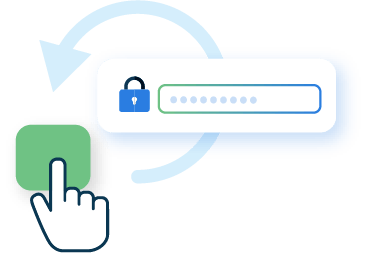
  1. Self-Service Password Reset

Users restore access to their own account through a form with preconfigured questions and MFA, such as an SMS code or email verification.
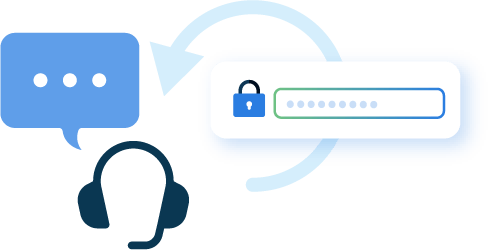
  1. Helpdesk Password Reset

Through a NIM app, you can delegate password reset to the helpdesk so authorized staff can set a new password or unlock an account for someone else.

Apps

With Apps in NIM, you can handle common requests faster without granting full admin rights or adding pressure on administrators. Through NIM Apps, the helpdesk can, among other things, reset passwords, lock or unlock accounts, update attributes, change group memberships, and grant temporary rights for exceptions. In urgent situations, such as theft or a cyberattack, the helpdesk can also immediately revoke access by disabling or removing an account. With workflows like manager approval, you control exactly how and by whom actions can be performed. Everything happens within a clearly defined scope, follows least-privilege principles, and is logged in detail for security and compliance.

Learn More About Apps
Onboarding

With NIM Onboarding, everyone starts securely and smoothly, without IT having to share default passwords. Users receive an email with a link to the onboarding process: the account is already set up, but it becomes active only after the user completes the process. The user sets their own password and verifies their identity using HR data such as full name and date of birth. This is confirmed with an SMS or email code. Once completed, the account is activated, and you immediately see which accounts are active.

Learn More About NIM Onboarding

NIM Suite

Request a quote for NIM

From

250 ,-

Per month

NIM - Enterprise Identity & Access Management
Curious if NIM is a good fit for your organization?
Book Your Free Demo

Frequently Asked Questions

Does NIM require a SQL license or additional database software?

No, NIM uses an internal SQLite database and does not require an external database. However, NIM can connect to a SQL database as a source or target system.

How does NIM handle full name, username, and email uniqueness?

A true identity management solution should never lock you into a specific name generation algorithm. NIM is designed to allow you to control the entire name generation process. A major part of that process is uniqueness. NIM has an entire section dedicated to uniqueness requirements. Typically, "uniqueness" is evaluated for full name, user name, and email, but in reality, it can be used for any generated variable within the NIM "Name Generator" process. Uniqueness requirements can be designed to evaluate all target systems for uniqueness before the variable is generated.

For example, guaranteeing the username is the same across all target systems. If NIM's Name Generator determines a downstream target system has a user name duplication conflict, the generator will iterate to a new username and reevaluate all target systems for uniqueness. The iteration algorithm is extremely flexible, which makes it easy to configure to meet your organization's requirements.

How many source and target systems does NIM support?

NIM's open data model is designed for simple to complex multi-system environments. This allows NIM to support virtually an unlimited number of source and target systems.

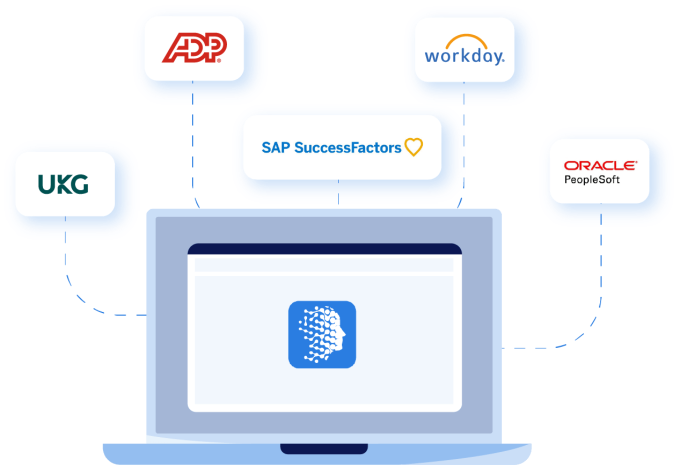
Some common systems are UKG Pro, Workday, BambooHR, Active Directory, Azure AD, Google Workspace, SAP SuccessFactors, Dropbox, ADP, and Salesforce.

How many user identities does NIM support?

Unlimited, NIM's core design is to support small to extremely large (200K+ identities) without sacrificing performance. This is accomplished by using the host system's memory and optimized data relationship algorithms.

What are NIM Applications?

NIM's main focus is automating an organization's user lifecycle provisioning process. However, not everything can be automated, and manual processes are required. This is where NIM Applications come into play. Organizations can customize web applications that leverage NIM's data and internal processes, such as data relationships, role models, and name and password generation. In addition, each application has its own security access control list (ACL). This allows you to delegate applications to specific roles, such as the Helpdesk or a single user. All the while, it logs every action to be used for auditing purposes.

Below is a list of possible NIM Applications:

  • Creating non-HR related user accounts such as temp workers or substitute teachers

  • Helpdesk ad hoc group management

  • Teacher classroom student password reset

  • AUP and Acknowledgement form

  • List Users Created or Modified past 30 days

  • List Users with password Expires within a timeframe

  • List users with no logon in the past X days

Does NIM require scripting knowledge such as PowerShell or JavaScript?

No, NIM is a menu-driven identity management (IDM) solution that does not require scripting knowledge. However, NIM supports advanced features such as using JavaScript to generate new data columns based on existing columns or manipulating the data format of a column when required.

What is NIM Role Modeling?

NIM's Role Modeling feature allows you to create business roles to help manage entitlements. An example of entitlement is an Active Directory security group or distribution group. Roles are typically based on filtered information such as job title, building location, etc. In addition to role management, NIM supports role mining and role generation.

Role mining is where you analyze your current group configuration across all your systems and display commonalities. For example, the job titles "marketing assistant" and "marketing supervisor" are members of the same five marketing groups.

Role generation is where you use role mining information to generate roles. For example, one role for marketing includes two job titles, "marketing assistant" and "marketing supervisor"; the entitlements are five groups.

Where can I find more information on configuring NIM?

For detailed information on how to configure NIM, such as source and target system configuration, user name and password generation, OneRoster exports, role mining, role generation, and much more, visit our NIM documentation website at https://docs.nimsuite.com/

What is synchronization vs. event-based evaluation?

Tools4ever has two provisioning products, NIM and HelloID, that utilize two different methods of evaluating source data: synchronization and event-based evaluation.

NIM uses a synchronization method based on the "soll-ist" philosophy of "desired situation" and "current situation." This method is also known as a "Single Source of Truth," where source data is synchronized to downstream systems on a schedule. NIM accomplishes this by evaluating the data from all source and target systems. When NIM identifies data in the target systems that does not match the source system, NIM will synchronize the source data to the target system. This method guarantees that all downstream systems have the same information as the source system.

HelloID uses an event-based evaluation method. On schedule, source data is evaluated for changes. When a change is detected, that change will then be propagated to downstream systems. In this method, downstream systems may contain different information than the source system. This allows for ad hoc changes to downstream systems without the worry that the source system data will overwrite the ad hoc change.

Does NIM support SFTP?

Yes, NIM's export functionality can also be configured to execute SFTP transfers. This allows NIM to not only export a file or multiple files (typically CSV) but can also transfer the file to a target system using SFTP. Additionally, in compliance with the OneRoster specification, you can compress the files into a single zip before uploading as well.

Can we have separate password generation algorithms for elementary and everyone else?

Yes, NIM supports any number of "Password Generators." For example, it's not uncommon for school districts to generate simple passwords for Pre-K and Elementary students. Typically these passwords use information found within the Student Information System (SIS). With NIM's multiple password generator feature, NIM can integrate into your current identity management infrastructure with minimal effort.