








Deduplicate Data From Your Source System
Individuals can appear multiple times in a source system for various reasons. People can also appear across multiple source systems simultaneously. HelloID can deduplicate these records, which helps prevent the creation of duplicate and unnecessary accounts. In this blog, we explore person aggregation. You will learn what this capability provides, how aggregation works, and how to automate data aggregation.
What is Person Aggregation?
Duplicate data occurs regularly in sources such as HR systems for many reasons. For example, when an employee also volunteers. In some cases, the collective labor agreement (CAO) requires two separate registrations in the HR system. As a result, a person is listed multiple times in your HR system and may have different employee IDs. Some organizations also use multiple source systems. Consider an educational institution where the same staff member is registered in both the HR system and the student information system. Or a healthcare organization that, in addition to the HR system, connects to a scheduling solution.
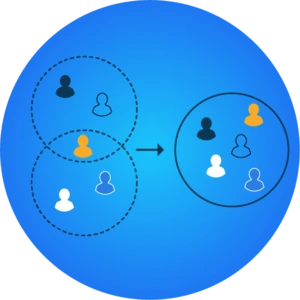
With HelloID’s aggregation capability, you can merge multiple secondary entries (non-main persons) for a person with a main entry (main person). Person aggregation is a process in which all user records linked in the source system to a person’s entries are combined in HelloID into one primary person. This deduplicates data and ensures that all available data is integrated.
When Should You Merge Data?
Aggregating or merging data is important when employees appear multiple times in one or more source systems, and you want to create only one account in HelloID per person. In practice, we see this when an intern moves into a permanent role after the internship. The employee ID may change in this case, while the user account and the linked data must remain. The same applies to the earlier example regarding volunteer work.
With the person aggregation capability, you can merge personnel records from the two accounts in HelloID without affecting the data or its storage in the source system. This is important because HR does not need to change its processes.
How Does Person Aggregation Work in Practice?
When aggregating data, HelloID searches for duplicate entries for people based on matching attributes. Examples include date of birth, initials, and name. These attributes are generally entered correctly and are unique across natural persons. Using a citizen service number (BSN) may seem obvious, but it is not permitted by law; only government organizations may use the BSN. Organizations outside government may do so only if this is legally established.
If HelloID identifies multiple entries in a source system linked to a single person, the IAM solution first determines the primary entry. For example, based on the number of hours per week a person spends on a specific employment contract. The solution then integrates all relevant personnel records that HelloID finds in your source system with this primary entry.
Undo Merges
HelloID aggregates data on its own platform without modifying data in the source system. This is important because it allows you to decouple linked data at any time. This approach provides assurance. You can always revert to your original data, regardless of changes you make in HelloID or in automated processes.
Manual or Automatic Person Aggregation
The aggregation capability works in practice using suggestions. You can process HelloID’s suggestions manually or automatically. If you run the process manually, you retain full oversight. If you choose to automate this process, you save time and simplify user account management.

If you automate the process, no manual actions are needed to approve and execute suggestions. It is important that HelloID automatically executes suggestions only when a single person matches them. If that is not the case and there are multiple matches, HelloID still presents the suggestions to you.

Another factor that determines whether HelloID executes suggestions automatically is the Automatic Matching Score. HelloID assesses the people for whom it proposes suggestions and assigns a score. HelloID executes the suggestion only if the score exceeds a configured threshold. You define this minimum score when configuring the aggregation capability. The Automatic Matching Score plays an important role in person aggregation and ensures that HelloID links accounts correctly even when spelling mistakes occur.
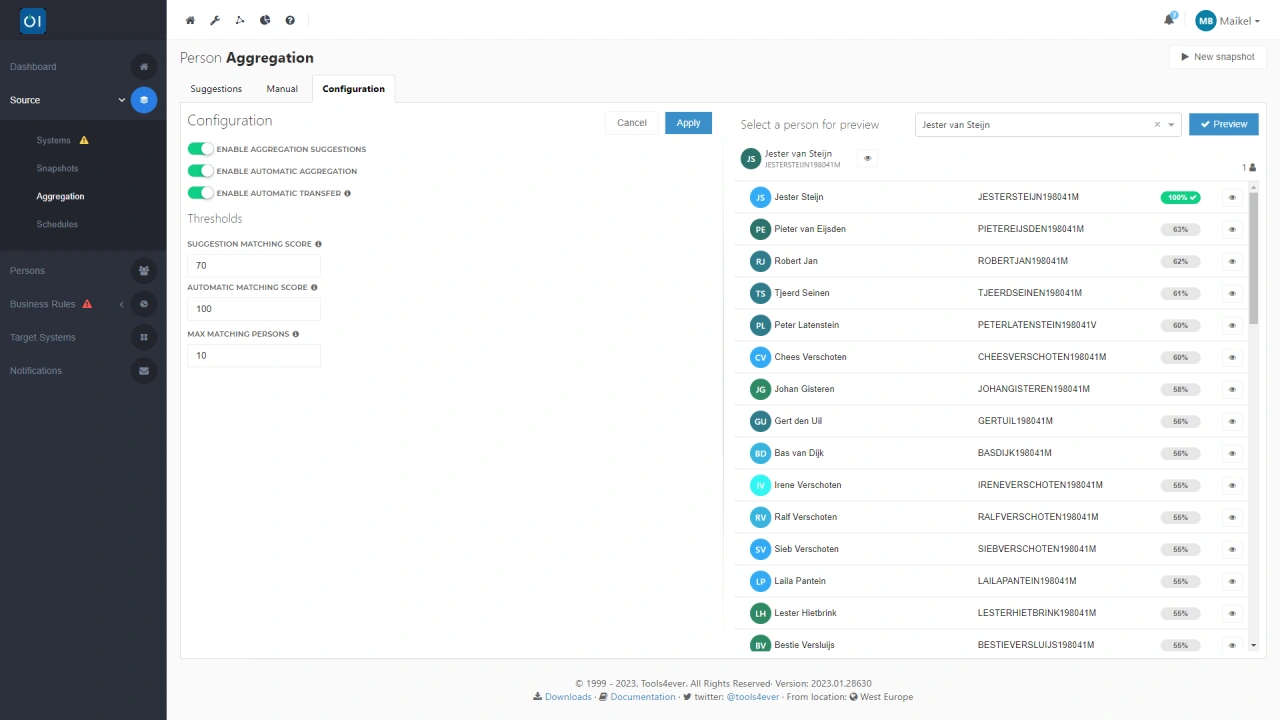
In addition to the Automatic Matching Score, you can also configure a Suggestion Matching Score. This score defines the minimum score a match must meet before HelloID proposes aggregation suggestions. If you set the Automatic Matching Score higher than the Suggestion Matching Score, HelloID automatically performs integrations with a high enough score and provides suggestions for all aggregations with a lower score.
Automatic Transfer
A function that aligns with the automatic execution of data aggregations is automatic transfer. With this functionality, you can automatically apply changes to data. A primary entry can change and is not fixed. For example, when an employee leaves but remains active as a volunteer. HelloID detects this and updates the primary entry through automatic transfer.
If you execute aggregations automatically, automatic transfer ensures that HelloID first evaluates all entries for people. If the primary contract belongs to a secondary entry, HelloID automatically converts this secondary entry into the main entry. It then moves all other contracts from the old main entry to the new main entry. The permissions of the old main entry remain in the target systems and are not changed by HelloID. Audit logs and historical data about people are also moved.
If a main entry is missing, the automatic transfer function still provides a solution. In this case, the function assigns all permissions that were granted to the missing main entry to the new main entry. The same applies to all audit logs and historical data related to that entry.
Get Started
Do you want to start aggregating data in HelloID? You can find all the information you need in our documentation. Do you have questions or want to discuss this topic? Contact us!