







Establishing Naming Conventions
When configuring HelloID, naming conventions are critical. You define how HelloID composes usernames, display names, and email accounts, among other items. This creates a consistent way of working and an automated process. In this blog, you will learn everything about naming conventions. We explain what to consider and which "names" HelloID generates automatically.
What are Naming Conventions?
Naming conventions are rules that define exactly how HelloID should construct names. You create a set of guidelines that HelloID applies, and you can specify preferences. How you construct names varies by organization. Some companies include the full first and last name in the email address, while others choose an initial and last name. Do you want the first and last names concatenated, or separated with a period?

At first glance, these may seem like minor details. Reaching an agreement on these choices is crucial to achieving a standardized, consistent approach to naming. The rules you define for this are called naming conventions.
Why are Naming Conventions So Important?
Employees are assigned various names by their employer. Think of their username and email address. As a company, you want these names to be neat and standardized. This matters for how your company presents itself to customers and partners, and it prevents confusion and makes email addresses easy to predict. Most importantly, they are required to automate user management at all times. You do not want someone in HR or IT to manually create email addresses and check whether they already exist.
Examples of name fields that can be generated automatically through HelloID include:
Common name: This is the display name in Active Directory (AD) and the name of the AD object. This field must be unique within the OU and may be a maximum of 64 characters.
Last name: The user's last name. The name preference (birth name and/or partner name) can play a role here.
Display name: This is the name users see in emails and elsewhere.
E-mail: The user's email address.
User logon name: The account name or username in AD, also called the UPN.
User logon name (pre-Windows 2000): This attribute is the sAMAccountName and must be unique within the domain; it may not exceed 20 characters, including the iteration.
Well-designed naming conventions also prevent assigning numbers to users. For example, two different employees may share the same last name and first initial. If you do not account for this and create a username for each user, you end up with duplicates. Traditionally, companies solve this by using numbers. In many cases, administrators append a number after the user's last name. No one wants to be a number.
Iterations
Naming conventions provide an elegant solution. If a username, email address, or other name that HelloID intends to generate already exists, an alternative is needed. HelloID supports iterations for this. You largely determine how HelloID handles this, and it can differ per name. Examples include using the full first name instead of only the initial, or using the first two initials.
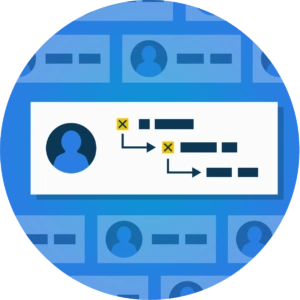
It is best practice to define at least three iterations in HelloID, so you always have sufficient fallback options. If none of these options are possible, HelloID can still fall back to numbering names.
Individual User Preferences
Naming conventions are not set in stone and allow flexibility. You can let users specify a name preference, which is usually stored in the HR system. This captures whether the employee wants to use only their birth name or, for example, a combination of their birth name and their partner's name. HelloID provides four standard name preferences:
Birth name
Birth name - Partner name
Partner name
Partner name - Birth name
You decide which names you allow for individual preferences. Our recommendation for AD is to use the birth name in the UPN, and the user's preferred name for the display name. This avoids complex name changes when marrying or divorcing, while respecting individual user preferences.
Creating a Blacklist
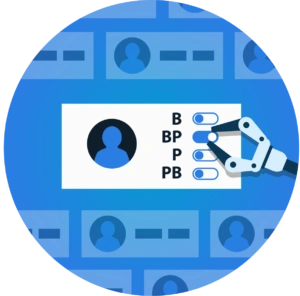
In many cases, using a blacklist of usernames, email accounts, or other names is relevant. For example, if you want to ensure that names are never reused, even if an account has been deactivated and removed. In this case, when creating a new account and/or email address, you can have HelloID automatically add the used name to a blacklist.

Whether you use a blacklist is defined in the target system configuration, where you use the option to validate the uniqueness of a name. This check can produce different results:
The chosen names are unique: in this case, HelloID adds them to the blacklist so they cannot be used again.
The chosen names are not unique: In this case, the chosen naming already appears on the blacklist. HelloID cannot use the names, so it will fall back to an iteration.
Get Started With HelloID
Do you want to get started with naming conventions and defining iterations? The video below explains the key points to consider.
Do you have questions or face challenges? Our experts are ready to help and collaborate with you. Contact us for more information!