








How do you prevent credential phishing?
The traditional password is still the most used authentication method. At the same time, we all know that passwords are never completely secure. Even if you use unique and long passwords, attackers still have enough tricks to obtain them. Even an additional verification check with Multi-Factor Authentication is not always foolproof. How does that happen and what can you do about it?
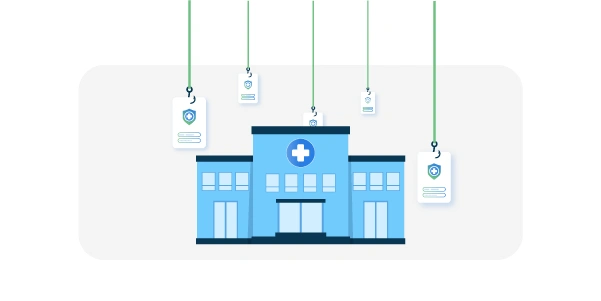
Increase in credential phishing in healthcare
Z-CERT Foundation is the expertise center for cybersecurity in healthcare. Every year, the organization publishes a Cybersecurity Threat Landscape for healthcare. In this report they provide an overview of current threats in the sector. These range from insider threats, both deliberate and unintentional data leaks by staff, to ransomware attacks and espionage. Many of these threats start with stealing a username and password. For example, through a phishing email that appears to come from a trusted organization such as your bank or employer. In reality, a link routes you to a site or form to enter your username and password. This credential phishing is not new, but the tactics are becoming more advanced. The recent Z-CERT report therefore pays extra attention to it.
In the threat landscape, the risk of credential phishing is still labeled as medium. At the same time, there are many reports of attempts, and the danger is mainly that this often serves as a stepping stone to more serious attacks. The intruder enters through a mailbox, which can quickly provide access to your Office environment and other applications. Once inside, it becomes relatively easy to prepare a ransomware attack or financial fraud.

Adversary-in-the-Middle (AiTM) phishing attacks
Why is credential phishing an increasing risk? In traditional phishing attacks, usernames and passwords are collected for later use. An important measure against this is Multi-Factor Authentication. With MFA, you use not only something you know, your password, but also something you have, such as your smartphone. You must enter your password, and then, for example, a one-time code via an authenticator app on your smartphone. Only if both are correct do you gain access. A hacker with only usernames and passwords cannot use them to sign in.
Z-CERT mainly warns about Adversary-in-the-Middle (AiTM) phishing attacks. This relatively new attack works as follows:
Attackers create a realistic copy of the target website, such as a convincing Microsoft 365 sign-in screen.
The victim is lured to the URL, for example through a phishing email.
The fake site asks the user to sign in, including the second-factor code.
The fake site acts as a proxy. It receives the credentials and forwards them over a subsequent connection to the original site.
There, the user is signed in and the session cookie is returned.
The man-in-the-middle receives that session cookie and forwards it to the user.
The user is now signed in without noticing anything, while the attacker can use the same session cookie to sign in directly.
In this way, the extra factor adds nothing to security. The key is that the attacker listens in on the sign-in session in real time and can copy the session data to sign in as well.
Growing number of attacks
The report indicates that in the fall of 2024, several very successful Adversary-in-the-Middle (AiTM) phishing campaigns were active in the healthcare sector. A system was placed between the victim and a target system, often Microsoft 365. During that period, Z-CERT also received more reports of compromised accounts than usual. Investigations showed that some healthcare organizations were not yet aware, and later it was found that even more accounts had been affected. Z-CERT also warns that phishing campaigns are becoming smarter and more professional, due in part to the use of AI. Attackers do not necessarily need advanced technical knowledge themselves. Phishing-as-a-Service platforms now exist where you can order your own phishing campaign as a service.

Can you prevent credential phishing?
The report includes multiple tips to reduce credential phishing. MFA remains an important measure, and with Conditional Access you can configure that users may sign in only from specific networks or devices. Other common recommendations remain important as well, such as using unique passwords and always scrutinizing the emails you receive and checking URLs before you click.
The most structural approach is to use phishing-resistant sign-in methods wherever possible. The FIDO Alliance, Fast IDentity Online, developed the FIDO2 standard where authentication uses a public key algorithm. This ensures that verification data exchanged cannot be decrypted and abused by an intermediary system. Below are some examples.
YubiKey authentication
For example, the HelloID Access Management module supports, in addition to common traditional MFA methods, authentication using FIDO2-compliant hardware security keys such as YubiKey. This is a small USB device that you can plug into a laptop, smartphone, or tablet. It enables a secure authentication process between the key and the HelloID application, where verification data cannot be decrypted in transit.
Passkeys
More and more applications also support passkeys. This is a passwordless authentication method based on FIDO2. Authentication uses a unique private key stored on the user’s device and the application’s public key. Windows 10 and 11 laptops support this in combination with built-in biometric authentication. When a user wants to sign in to such an application from a laptop, the user must first authenticate with a fingerprint scan, facial recognition, or a PIN. The user then signs in automatically through the installed passkey. No credentials are exchanged anywhere that could be intercepted and abused.
Passkeys can also be combined with Single Sign-On, SSO. The passkey is then used as a secure master sign-in to, for example, AD or EntraID. From there, sign-in to other applications proceeds through the standard SSO mechanism.
Want to learn more about phishing-resistant sign-in?
The HelloID Access Management module provides phishing-resistant sign-in methods. We support MFA using hardware security keys that leverage the FIDO2 standard. MFA verification data cannot be intercepted. Other Identity Providers we integrate with, such as AD and EntraID, are increasingly applying passwordless authentication methods. In our HelloID whitepaper you will find an overview of all HelloID modules and how they help you optimize your cybersecurity posture.