







How an Access Management Solution Helps Your Organization
In the blog “Why do you need an Identity and Access Management (IAM) solution?” we examined the challenges organizations face without an IAM solution: efficiency and cost reduction, regulatory compliance, and protection against data breaches. The last two blogs described how automated and semi-automated user and authorization management help organizations. But how do you provide employees with secure access to your applications without sacrificing usability? And how do you handle other user groups that need access to your IT infrastructure? In this blog, we describe how Access Management technology can help your organization with these three points.
How Does an IAM Solution Help?
In previous blog posts, we covered IAM technologies, User Provisioning, and Service Automation. Both technologies relate to user and authorization management. User Provisioning fully automates this based on a source system. Service Automation can be characterized as semi-automated because it fills the gaps that cannot be fully automated. The third major topic within Identity and Access Management is access control. This is where Access Management comes in.
Access Management
Access Management simplifies user authentication to applications. With an access management solution, users need to sign in only once to access multiple applications. Without such a system, employees need a separate user account for every application. An employee starts the workday by signing in to a laptop or Chromebook with an Active Directory or Google Workspace account. The employee still needs to sign in separately to the intranet and the CRM system. If they want to request time off, they must sign in for that as well. In addition, a different password must be used for every account to keep it secure. This is inconvenient for users, and in practice, employees often reuse the same credentials across applications. They still have to sign in separately, but at least they do not need a photographic memory to recall complex passwords with uppercase and lowercase letters, numbers, and special characters. Unfortunately, this is also very convenient for attackers. They only need to compromise one poorly secured application to sign in to all other applications.
An Access Management solution provides employees, partners, and customers with simple and secure access to (cloud) applications. A set of Access Management capabilities together delivers this outcome, which we will highlight in this blog.
Primary Identity Provider
Where you would normally sign in to each application separately, Access Management assumes one central set of credentials for a specific user group, the so-called Identity Provider. For employees, these are typically the same account details they use to sign in to their computers. For example, a Microsoft (Azure) Active Directory account or, for Chromebooks, the Google Workspace account. That becomes the primary identity provider for employees. After signing in to that identity provider, they can access business applications, also known as relying applications. The principle of one primary identity provider for employees is already in use at many organizations. At the same time, employees are no longer the only user group requiring access to the IT infrastructure. Customers often receive access to certain web applications, and in schools, students must sign in to their digital learning environment. In those cases, the CRM and the student information system can serve as the primary identity providers, respectively.
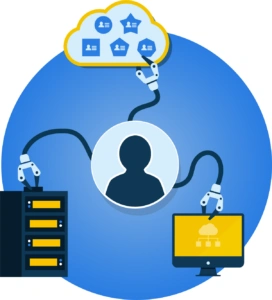
An IT landscape with multiple identity providers for different user groups is more complex. Many relying applications support only one identity provider. An application like that cannot simultaneously grant access to employees, students, or customers from multiple identity providers. If you connect a relying application for employees to Azure, then every other user would also need an account in that application. A full Access Management solution has an important role as an adapter between multiple identity providers and the relying applications. Each user group accesses the access management system through its own identity provider. The access management system then ensures that everyone receives access to their IT resources. It is also possible that organizations do not yet have a suitable identity provider for their users. In that case, the Access Management solution can also serve as the identity provider. Organizations then do not need to purchase expensive licenses just to enable sign-in. This is a common option for external user access.
Access Portal
With an Access Management solution, each user group can sign in with its own method. You also want to present the user with an overview of the available applications. For that purpose, an Access Management solution provides a central access portal that displays only the applications the user has access to. Cloud-based Access Management solutions include such an access portal by default. Many organizations already have their own start portal and do not want an additional user portal. That is why an Access Management solution like HelloID can offer the access portal standalone, or integrate it seamlessly via a widget into an existing social intranet or SharePoint Online environment. This prevents portal fatigue and increases usability for your users. One portal for the latest company news, all corporate policies, and access to required applications.
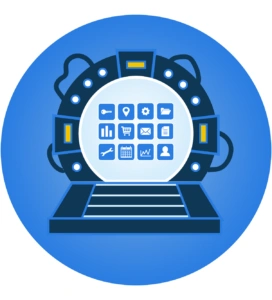
Besides usability, a portal also improves information security. More and more applications are moving from the on-premises infrastructure to the cloud. Instead of a desktop icon, users must remember the URLs of cloud applications or add them to their favorites. This is inconvenient for users and poses a phishing risk. A small typo when entering a URL or a click on a phishing email can land you on a nearly indistinguishable copy of the application. A desktop in the cloud reduces such risks considerably.
Single Sign-On
Single sign-on (SSO) allows users to sign in once with their primary account and access all business applications. As noted above, most Access Management solutions provide a portal that offers a clear overview of all web applications. With single sign-on, the user needs only to click the application in the portal; the Access Management solution handles sign-in automatically and securely.
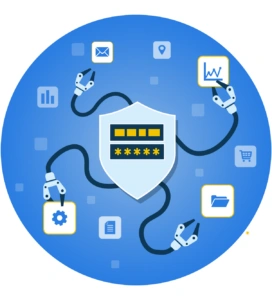
Users no longer need to remember dozens of URLs, usernames, and passwords. Signing in once with the primary account is sufficient. This is not only user-friendly, but it also improves security. From a security perspective, it is necessary to use a different password for each application. This prevents cybercriminals from gaining access across multiple accounts with a single stolen password. In practice, employees who take the effort to use different credentials per application struggle to remember them all. Password manager tools exist, but they are not always practical. Many users end up with passwords that are easy to guess or written down somewhere. Or they forget their passwords, resulting in a costly stream of helpdesk tickets. Many users have “solved” this by using a single set of credentials across multiple applications, which introduces significant risks. Single sign-on eliminates these password problems and associated risks.
Multifactor Authentication
Is single sign-on actually more secure? If someone’s primary account is hacked, would they still gain access to all applications? A fair question, but the short answer is that SSO is indeed more secure. Compare it to a house. With a regular front door, you could decide to put locks on every interior door as well. That sounds secure, but it likely takes less than a week before you stop locking the interior doors or leave the key in the door. Convenience often wins out over security, but at home, it is much safer to invest in extra-secure exterior doors and windows.

The same applies to your IT access security. Instead of installing locks on interior doors and maintaining separate applications with their own sign-in, choose a single, extra-secure front door for your IT environment with a specialized Access Management solution. The specialized Access Management provider ensures that access security is always up to date and that any unsecured paths to individual applications are closed. At the same time, with only a username and password, we cannot guarantee that someone is who they claim to be. Someone can shoulder-surf your password, and social engineering tactics or brute-force attacks can also compromise it. This is where multifactor authentication (MFA) comes in.
With multifactor authentication, we add one or more verification checks. In addition to something a person knows (e.g., a password), this can be something a person has or is. Something a person has could be a phone with an authenticator app. YubiKeys are also commonly found on many keychains nowadays. You can further secure it by using biometric authentication, such as a fingerprint or iris scan. Verifying an additional factor, in addition to a username and password, makes it much harder for an attacker to access an account. Of course, this extra verification makes signing in slightly more involved. Still, the payoff is that signing in to other applications becomes much easier, and the overall user experience improves.
Conditional Access
In the past, applications were accessible only from the corporate network, and the organization always owned the devices on that network. In contrast, cloud applications can, in principle, be accessed from anywhere in the world and from any device. This makes it more difficult for IT departments to control access to documents and data. With conditional access, an access management solution restores control over who gets access, when, and from where.
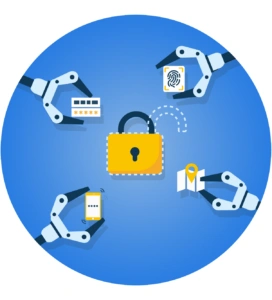
Conditional access comprises policies that determine which users or groups have access, under what conditions, and to which applications. For example, someone can sign in to the financial system without issue during the day from the corporate network. If the same person attempts it at night on a smartphone, that is not allowed. For every access attempt, the access management solution first checks whether specific access rules apply. Such a rule always consists of a condition and a corresponding action. Two examples:
A simple rule: 'when the user wants to sign in to the access portal, then the user must use multi-factor authentication'.
A more complex rule: 'when the user wants to sign in from outside the corporate network and does not have a management role, then the user may gain access to the portal with MFA and, through single sign-on, access to their applications. When the user requests access to a financial application, they must authenticate again using an authenticator app.
In the examples above, the rules depend on a person’s role, the network, and the application. Other possible conditions include the day and time of sign-in or application use, a person’s location or IP address, and the device or browser used. You can then combine multiple conditions and actions into rules to configure and secure cloud data as needed.
Compliant with Laws and Regulations Thanks to an Access Management Solution
Many organizations today want to be ISO 27001 compliant, the international standard for information security management. Often, this compliance is even a hard requirement to do business with certain customers. Government agencies and healthcare institutions must comply with the BIO and NEN 7510 standards, respectively, which are based on ISO 27001 guidelines. The GDPR guidelines for protecting personal information are also mandatory for organizations.
In the information security and privacy guidelines above, Identity and Access Management functionality is a key component. Focusing on Access Management, capabilities such as single sign-on, multifactor authentication, and conditional access are crucial for meeting many security requirements. The combination of user-friendly and secure access solutions prevents employees from resorting to unsafe workarounds. In addition, a central Access Management platform's strength is that all access attempts and other actions are logged centrally. This makes it easy to trace who accessed which application and when.
Others also viewed
 From A to IAM
- Product and technology
Why Do You Need an IAM Solution?
August 29, 2022
 From A to IAM
- Product and technology
How a Service Automation Solution Helps Your Organization
October 31, 2022
 From A to IAM
- Product and technology
How a User Provisioning Solution Helps Your Organization
September 27, 2022