







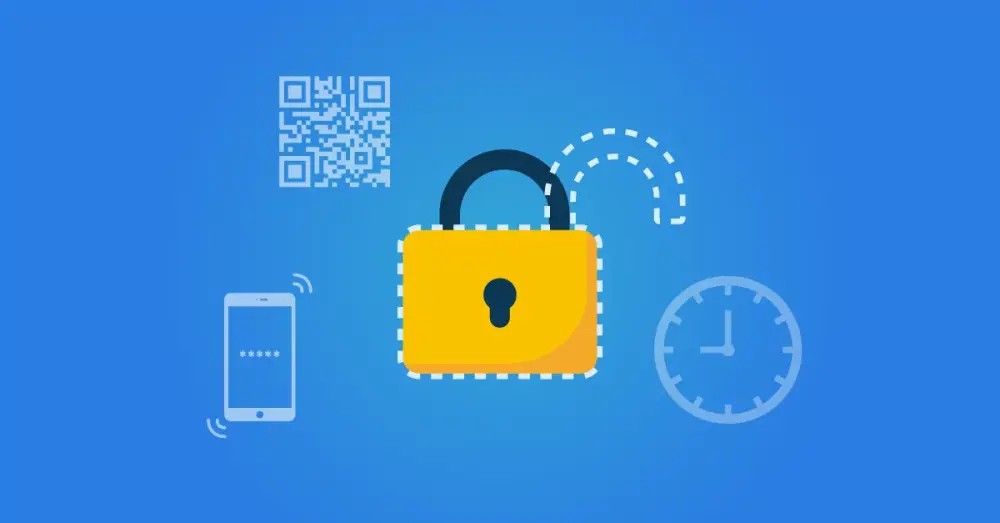
One-Time Password (OTP)
Identity and Access Management (IAM) plays a critical role in managing and securing all aspects of digital user access. An essential security concept within IAM is the One-Time Password (OTP).
But what exactly is an OTP? How does it work, and why would you use it? In this comprehensive article, we take a deeper look into the world of OTPs. We discuss how it works, the different types of OTPs (HOTP, TOTP, and OCRA), and the benefits of using an OTP. We also review practical applications and compare OTPs with other security methods. Let us begin with the question: What is a One-Time Password?
What is a One-Time Password?
A One-Time Password (OTP) is a unique sequence of digits or letters that can be used only once for authentication. Unlike traditional passwords, which are static and can be reused across sessions, OTPs are dynamic and change with each new session. This means that even if an OTP is intercepted or stolen, it becomes useless once it has been used or after a specified period has expired.
The meaning of OTP lies in its one-time use property. It provides an additional security layer to protect access to sensitive information or systems. OTPs are often used as part of a two-step verification process, where the user first enters their regular password and then the OTP. This helps confirm the user's identity and protects against unauthorized access, even if the regular password is compromised.
There are different types of one-time passwords, with the following being the most common:
HOTP (HMAC-based One-Time Password): Is an algorithm for generating one-time passwords. It is based on the HMAC (Hash-based Message Authentication Code) algorithm. These OTPs are event-based, meaning they are generated by a counter that increments each time the OTP is used. The counter is usually stored on the user's device. The OTP is generated using a cryptographic hash function that combines the counter value with a secret key.
Time-Based One-Time Passwords (TOTP): TOTPs are similar to HOTPs. However, where HOTPs change based on the counter, these OTPs are generated using the current time. TOTPs are usually valid for a short period, such as 30 or 60 seconds. If you do not use the one-time code within that period, it is no longer valid, and you must request a new OTP.
OATH Challenge-Response Algorithm (OCRA): These OTPs are generated in response to a challenge issued by the system the user is attempting to access. The challenge usually consists of a random number or a sequence of characters. Like a TOTP, this type of OTP is often time-bound.
Each of these methods has its own unique characteristics. Still, they all share the same goal: increasing security by making it harder for unauthorized users to access sensitive information or systems.
In the context of Identity and Access Management, OTPs can play a crucial role in safeguarding users and protecting sensitive data from unauthorized access.
How Does It Work?
A One-Time Password works in a fairly simple yet effective way. Let us walk through the process step by step.
OTP Generation: The process begins with generating the OTP. This usually occurs using an algorithm such as HMAC-based One-Time Password, Time-based One-Time Password, or OATH Challenge-Response Algorithm. Each algorithm has its own unique method for generating OTPs.
OTP Delivery: Once generated, the OTP is sent to the user. This can occur through various channels, such as SMS, email, or an authenticator app. The key requirement is that the OTP is delivered to the user securely.
OTP Use: The user then enters the received OTP on the website or application where they are attempting to sign in. This is usually performed as part of a two-step verification process, where the user first enters their regular password and then the OTP.
OTP Verification: The website or application checks whether the entered OTP matches the one originally generated. If the OTPs match, the user is granted access. If not, access is denied.
OTP Expiration: The most important characteristic of an OTP is that it can be used only once. Once it has been used or after a specified period has expired, the OTP becomes invalid and cannot be reused.
By following these steps, an OTP provides an additional security layer that helps secure access to sensitive information or systems.
Why Use a One-Time Password?
Using a One-Time Password offers several advantages, especially in the area of security. Here are some reasons to use an OTP:
Increased Security: OTPs provide an additional layer of security beyond traditional passwords. Because they can be used only once, they are much harder to intercept or steal than regular passwords. Even if an OTP is stolen, it becomes unusable as soon as it is used or after a specified period has expired.
Protection Against Phishing: OTPs can help prevent phishing attacks. In phishing, cybercriminals attempt to steal sensitive information such as usernames and passwords by posing as a trusted entity. Because an OTP becomes invalid after use, an attacker gains nothing from it, even if they succeed in stealing it.
Ease of Use: Although using an OTP adds a step to the login process, it is generally simple and quick to use. Most people are accustomed to receiving OTPs via SMS or email, and entering them is usually straightforward.
Compliance: In some cases, OTPs can help meet certain security standards or regulations. For example, the Payment Card Industry Data Security Standard, PCI DSS, requires two-factor authentication for certain transactions, which can be achieved by using OTPs.
In short, using an OTP can significantly improve the security of your online accounts and protect you against various types of cyberattacks.
Proven and Well-Known Technology
One-time codes are a proven technology and standard security method for many applications. Many users are familiar with them, which makes an OTP solution easy to implement. In addition, the technology is standardized by the Initiative for Open Authentication (OATH). As a result, many different authentication devices and applications are available and can be used for multiple systems at the same time. This prevents the need for separate hardware or smartphone apps for each identity provider.
Suitable for Many Different Use Cases
One-Time Passwords are used in different scenarios and industries to increase security and prevent unauthorized access. Here are some OTP use cases:
Online Banking: OTPs are often used in online banking for transactions and other sensitive operations. When a user wants to make a transfer, for example, the bank can send an OTP to the user's registered mobile phone. The user must enter this OTP to confirm the transaction. This helps verify that the person performing the transaction is the account's legitimate owner.
Password Reset: If a user forgets their password, an OTP can be used to verify their identity before resetting the password. The system generates an OTP and sends it to the user's registered email or phone number. The user must enter this OTP to verify ownership of the account.
Two-Step Verification: Many online services, such as email providers, social media platforms, and cloud storage services, use OTPs as part of a two-step verification process. In addition to entering their password, users must also enter an OTP that has been sent to their phone or email. This helps protect their account, even if their password is compromised.
Access to Sensitive Information: In companies and organizations, OTPs can be used to gain access to sensitive information or systems. For example, an employee who wants to access a secured file or system may need an OTP to verify their authorization.
These use cases demonstrate how versatile and useful OTPs can be in different situations and industries.
OTP Compared to Other Security Methods
One-Time Passwords are a popular security method, but they are not the only option. Let us look at how OTPs compare to other security methods:
OTP vs. Static Passwords: Static passwords are the most traditional form of authentication. Compared to static passwords, OTPs offer greater security because they become invalid after each use. This means that even if an OTP is intercepted, it cannot be reused for unauthorized access.
OTP vs. Two-Factor Authentication (2FA): OTPs are often part of a two-factor authentication process, in which the user must provide two distinct forms of authentication. The other factor can be something the user knows, such as a password, something the user has, such as a smartphone, or something the user is, such as a fingerprint. Although 2FA provides an additional security layer, it can also require more time and effort from the user.
OTP vs. Biometric Authentication: Biometric authentication, such as fingerprint or facial recognition, provides a high level of security because it uses unique physical characteristics. However, biometric data cannot be changed once compromised, unlike an OTP, which changes after each use or expires.
OTP vs. Hardware Tokens: Hardware tokens generate an OTP that is displayed on a physical device. While they provide a high level of security, they can be expensive to implement and maintain, and they can be lost or stolen.
Each security method has its own advantages and disadvantages, and the best choice depends on the specific needs and circumstances of the user or organization. In many cases, using OTPs alongside other security methods is the best solution.
OTP Ensures Security
OTPs ensure a high level of security. Combined with a personal device and possibly one or two additional factors, they meet standards for strong sign-in security, such as two-factor and multifactor authentication.
The code that arrives with an OTP on a customer's phone does not come from an existing list and is not stored for an extended period. It is generated in the same way as cryptographic keys used to protect bank accounts are generated. That unpredictability ensures there is no fixed pattern that a hacker can recognize and exploit.
In addition, one-time passwords are often valid for only a few minutes to half an hour and can be used only once. This one-time nature applies even within the available time window. Once OTPs expire, they are completely useless, and neither hackers nor cybercriminals can derive any value from them.
How Do You Implement OTPs in Your Organization?
Implementing One-Time Passwords in your organization can be an effective way to increase the security of your systems and data. Here are some steps you can follow to do this:
1. Assess Your Needs: Before implementing OTPs, it is important to assess your security needs. Which types of transactions or access do you want to secure? Who are the users and what are their needs and capabilities?
2. Choose an OTP Method: There are different methods for generating OTPs, including HOTP, TOTP, and OCRA. Each method has its own advantages and disadvantages, so it is important to choose the method that best fits your needs.
3. Choose a Delivery Method: How do you want to deliver OTPs to your users? Options include SMS, email, an authenticator app, or a hardware token. The choice depends on factors such as your users' technical capabilities, cost, and security requirements.
4. Implement the OTP System: This can include installing and configuring software or hardware, integrating the OTP system with your existing systems, and testing the system to ensure it works correctly.
5. Train Your Users: It is important to train your users to use OTPs. This can include explaining the importance of OTPs, demonstrating how to use them, and providing support for any issues or questions.
6. Monitor and Update the System: After implementation, it is important to monitor the OTP system to identify and resolve any issues, and to update the system as needed to meet changing security requirements.
Implementing OTPs can be complex. With careful planning and execution, and with solutions such as HelloID, it can be a valuable addition to your organization's security infrastructure.
One-Time Passwords in HelloID
HelloID provides advanced OTP integration within the HelloID Access Management module. Integrating one-time passwords in HelloID adds a security layer and strengthens user authentication. HelloID makes it easy to implement OTPs regardless of the technology used. In addition to the native HelloID Authenticator app, which supports push-to-verify, HelloID also works with many common, compatible OTP methods, including Microsoft Authenticator, Google Authenticator, OTP hardware tokens, and YubiKeys. This provides your organization with flexibility and choice. Discover how HelloID can strengthen your authentication security with one-time passwords.
The Future of OTPs
One-Time Passwords have already had a significant impact on cybersecurity and are likely to continue to play an important role in the future. Here are some trends and developments we can expect:
Increased Adoption: As more organizations recognize the importance of strong security, we are likely to see increased adoption of OTPs. This is especially true in sectors that handle sensitive information, such as financial services, healthcare, and government.
Integration with Other Security Methods: OTPs are often used as part of a two-step verification process, and we can expect to see them increasingly integrated with other security methods. This can range from biometric authentication to hardware tokens and more.
Improved Delivery Methods: While SMS, email, and authenticator apps are currently the most common delivery methods for OTPs, we may see more secure alternatives in the future. This can include using encrypted messages or more secure apps.
More Advanced Algorithms: The algorithms used to generate OTPs are continuously being improved to make them more secure and efficient. We can expect this trend to continue, with even more advanced and robust algorithms.
In short, the future of OTPs looks promising. With ongoing innovation and improvement, we can expect OTPs to play an even more important role in cybersecurity.
Related Articles
- Glossaries
- More secure login with FIDO2?
- 9 best practices for identity and access management (IAM)
- Access Management – Implementing Multi-Factor Authentication
- What is a good order for an IAM implementation?
- Who are the stakeholders for an IAM project
- Unlock the Potential of Automated IAM for Education
- How a Service Automation Solution Helps Your Organization
- Secure Remote Work: What Must Companies Do?
- Multifactor Authentication (MFA), what are the options?