







Ransomware
What is Ransomware?
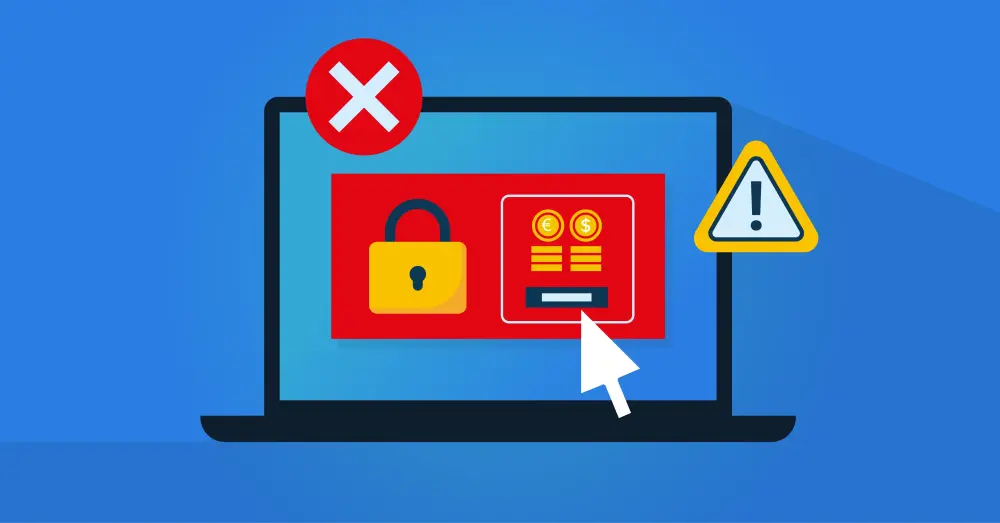
Ransomware is malware that encrypts data, entire systems, or networks, holding them hostage. In this context, a hostage is data or applications that are blocked for users and administrators. The purpose of ransomware is to demand a ransom. The victim, whether an individual or an organization, must pay a fee to regain access to data or systems. Users see a message on screen that the system has been hacked or taken hostage, and the system owner receives instructions on how to pay the ransom. To prevent criminals from being traced, payments are often requested in the form of Bitcoin or other cryptocurrencies.
Ransomware is currently the most common and most lucrative form of cybercrime worldwide, according to a recent white paper by Cyberveilig Nederland, an IT industry association focused on cybersecurity. And in its Cyber Security Assessment Netherlands 2023, the National Coordinator for Security and Counterterrorism (NCTV) expects that cybercriminals will continue to be a prominent source of disruptive cyberattacks in the Netherlands, “especially with ransomware attacks.” NCTV also indicates that ransomware attacks involve enormous ransom demands that are sometimes paid. This not only affects companies; ransomware gangs increasingly target government organizations and critical infrastructure. The fact that the 68-page report mentions the term ransomware 114 times speaks for itself.
What Types of Ransomware Are There?
There are two main types of ransomware:
Locker ransomware prevents users from accessing their data and applications, often by blocking the operating system. The data remain intact but are no longer accessible. The attacker demands payment to restore system access.
A so-called cryptor goes a step further. This malware encrypts all data on infected systems using encryption algorithms. This encryption software is the most common form of ransomware, and the attacker demands payment to decrypt the data.
The most advanced variants do not limit themselves to directly infected systems. Through corporate networks, they also take hostage data stored in other systems and in the cloud. In addition, this type of ransomware is now offered as a service to other criminals.
What Damage Can a Ransomware Attack Cause?
In our digital society, the damage caused by ransomware is enormous:
There is the ransom itself. For companies, this often amounts to millions, but experts consider paying ransom a last resort. There is a high risk of being hacked again quickly without additional measures. It is also possible that the attacker simply demands a higher amount, or that payment proves futile because the decryption software does not function properly.
Financial damage can be enormous because, with more and more organizations and companies effectively coming to a standstill during a ransomware attack, almost all processes today are partially or fully digitized.
The impact is even greater if your organization is a service provider. A factory floor that cannot operate for a day is already disastrous. Still, a bank, municipality, or hospital has a much more far-reaching impact because clients are directly affected. This can even lead to bankruptcies.
Do not underestimate the impact of reputational damage. Even if you can limit the financial impact, you do not want to make the news with a successful ransomware attack.
How Do You Recognize Ransomware?
You will recognize ransomware when the malware has been activated. You can no longer access files, or you have already received a ransom demand. In that case, the attack has already occurred, and the focus is on limiting damage, implementing measures, and restoring operations as quickly as possible. There are sometimes indicators before such an attack that something is wrong in your IT environment. These may not specifically indicate ransomware, but it is always advisable to respond as quickly as possible. Examples include:
Degraded system performance. Ransomware often causes significant memory usage because it encrypts numerous files.
In the same vein there is often much more network communication, for example to copy documents to a server controlled by the attacker.
If your IT administrators discover unknown files and new processes in their task manager and configuration tools, this may also indicate a ransomware infection.
It is also important to actively follow warnings from your security software, particularly your antivirus or anti-malware solution. Such software already prevents many infections, but good follow-up is important to prevent new attempts.
Tips to Prevent Ransomware Attacks
For ransomware prevention, it is important to implement a defense-in-depth strategy. Segment your network into different network segments so attackers must work much harder to gain access. Ransomware attacks have a financial objective. Hackers calculate what can be earned, how sensitive the data is, and how much effort is required. If the balance is unfavorable, they move on to the next victim. Specific focus areas include:
Prevent attackers from gaining access via user accounts to spread ransomware rapidly. Start with modern Identity and Access Management based on a Zero Trust strategy with automated access governance. This prevents unnecessary accumulation of access rights.
Prevent users from disclosing usernames and passwords through phishing. Technical controls can help, but active staff awareness is essential.
Invest in strong vulnerability management, patch management, and segmentation. Address new software vulnerabilities as quickly as possible, and use segmentation to prevent weak spots from infecting your entire IT environment. Active network monitoring helps prevent contamination of your IT environment, and by hardening your administrative interfaces, you prevent abuse of your management systems.
Ensure that software cannot be installed arbitrarily in your IT environment. This ranges from macros in office files to shadow IT, where employees install unapproved software.
Filter browser traffic to and from the internet to prevent infections from malicious websites.
Limit the use of USB devices. There are many examples of organizations with excellent security systems in which an uncontrolled USB drive containing malware can still be plugged into the nearest printer port.
These tips help you avoid becoming a victim of ransomware. At the same time, it is important to consider what to do if you do become a victim. In that case, make sure you have already planned your backup strategy.
Tips during a ransomware attack
During a ransomware attack, your backup strategy is crucial. Especially in a large-scale attack, you will immediately activate your incident response plan, isolate the network from the outside world, and work with your cybersecurity experts to identify the cause and resolve the issues. It is also important to file a police report and, in the case of data breaches, for example, ensure that customers, partners, and regulators are informed.
To get the organization operating again as quickly as possible, you need a solid rollback from your backups. The National Cyber Security Centre (NCSC) provides detailed guidance for such a backup strategy, for example, the 3-2-1-1 rule. This backup strategy requires that you always store at least three different copies of your data and applications. Use at least two different storage media for those backups, store one copy at a different location, and keep one copy offline.

More Tips to Prevent Ransomware Attacks?
As described, preventing ransomware requires a comprehensive approach that ranges from effective anti-malware tools to the right backup strategy. Another security layer we mentioned is modern Identity and Access Management. One of the simplest ways to install and spread ransomware is through regular user accounts or, even worse, administrative accounts. With modern IAM solutions, you secure network access and ensure that users never receive more access rights than strictly necessary. This prevents cybercriminals from gaining access and, if they do, limits the impact as much as possible. Our consultants will gladly explain more.
[1] https://cyberveilignederland.nl/upload/userfiles/files/CVNL_Ransomware_def.pdf
[2] https://www.rijksoverheid.nl/documenten/rapporten/2023/07/03/tk-bijlage-cybersecuritybeeld-nederland-2023
[3] https://www.ncsc.nl/wat-kun-je-zelf-doen/documenten/factsheets/2020/juni/30/factsheet-ransomware
Related Articles
- How Zero Trust Helps Organizations Reduce Cyber Risks
- How do you prevent credential phishing?
- Smarter information and access security with AI
- Data Breach Report: 5 Key Takeaways
- Why Do You Need an IAM Solution?
- Why Cyber Security Insurance Policies Are Requiring MFA
- Why Is Identity and Access Management More Important Now Than Ever?