







Data Mapping
What Is Data Mapping?
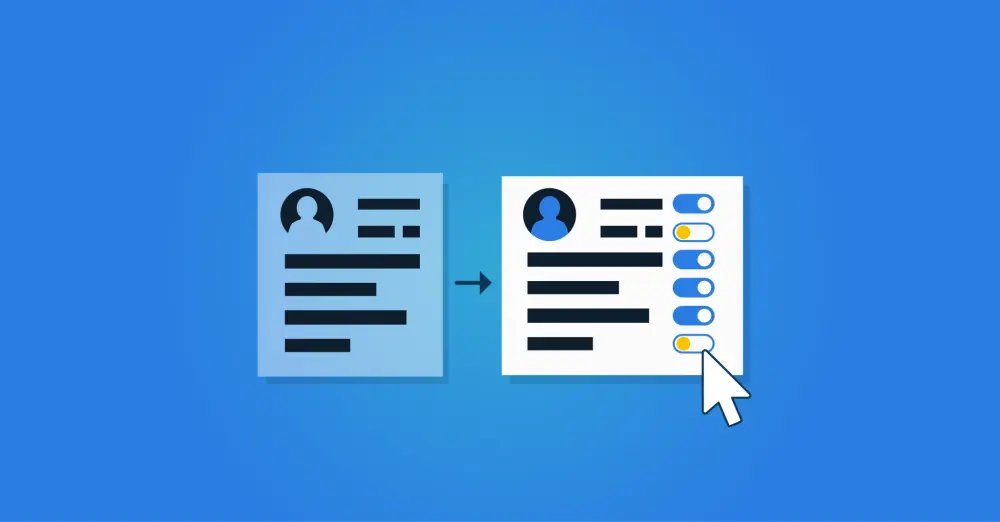
Data mapping is an IT process in which data from one system is linked or transferred to corresponding fields in another system. This is required for a correct and consistent transfer of information between different applications or databases. It is often used for data migration and system integration. To make systems work together, we use standards within IT where possible, but if a standard is missing or a proprietary format is used, a data mapping step must occur first. Below, we first provide concrete examples of what mapping generally involves, then we focus on data mapping and how we use it specifically within Identity and Access Management.
Data Mapping Example
Let us first make the term data mapping more concrete with an example: In database A, a date of birth is stored in the 'birth_date' field in the format 12-10-1998. This date is then mapped in database B to the 'date_of_birth' field with the format 12oct1998. Data mapping essentially involves the same information, but in different formats and labels.
Types of Mapping in IT Systems
At the same time, it is important to recognize that not every form of mapping in IT systems is data mapping. Other forms of mapping include:
Network and Address Mapping: In this case, it concerns technical network addresses that are converted to another format. For example, you can map domain names to IP addresses within a Domain Name System (DNS).
Function or Process Mapping: This may involve translating a generally described function or process into a specific implementation in a system. The same function implemented across different systems should produce comparable output.
Data Mapping Within Identity and Access Management
An example where data mapping plays an important role is in the design of Identity and Access Management (IAM) environments. In many such environments, source data is used to automatically determine which accounts and entitlements users need to do their jobs. That source data can come from one source system, such as the HR application, but multiple source systems may also be used. One example is when an organization uses an additional application to manage contractors, or, in education, when student data is recorded in the student information system. That source data is usually recorded in different formats, whereas it must be processed uniformly within the IAM domain. This requires data mapping.
Next, accounts, entitlements, and related information must be pushed from the IAM platform to target systems. This can be a directory service or an identity provider where identity data is recorded to support standardized authentication or Single Sign-On. In addition, other business systems often require accounts and access rights to be configured. That also requires correct data mapping between your IAM platform and the connected systems.
Example of Data Mapping in HelloID
What we described above for IAM platforms also applies specifically to HelloID. For automated provisioning of accounts and entitlements, we connect the platform to both source systems and target systems, and data mapping is needed in several places. Before we dive in, we briefly describe the automated provisioning process:
In a source system, such as an HR application, you will find data for individual users. These include personal data to identify someone, but also contract data, the role you perform, and the department where you will work.
Based on that data, HelloID can use business rules to determine which accounts and rights the employee needs. Based on your role, department, etc., you might receive, in addition to an AD account and a Microsoft 365 license, an account for a CRM system and specific permissions in that system.
HelloID must then configure and activate those accounts and permissions in the relevant target systems.
HelloID checks the source system for changes one or more times per day. If there are changes, the business rules are consulted to check whether updates are needed in the issued accounts and access rights. Those changes must then be implemented in the target systems.
Termination of employment is also processed in the source system. As a result, HelloID will block access rights so that after their departure, employees can no longer view sensitive data.
Data mapping must therefore take place at two levels. First, the data from one or more source systems must be mapped to the internal data formats within HelloID. And after it is determined who should receive which accounts and rights and in which target systems, that data must be mapped to the respective target systems.
Source Mapping: Data Mapping From Source Systems to HelloID
Source mapping is critical because source data is used in every provisioning action. With source system mapping, you determine in detail which data from a source system you store and use within HelloID. Examples include personal data, employment records, managers, roles, and departments. Different HR systems and other source systems record user data in different ways. If you use multiple source systems in your organization, you must map the data in HelloID so that it is stored and combined consistently. HelloID supports this in its identity vault.
This vault with standardized identity data is not only needed if you use multiple source systems. Equally important, it prepares your Identity and Access Management for future developments. If you switch to another HR system in the future, your standard source mapping ensures that the new source data are processed in the same way, and the rest of your HelloID integrations continue to work without issues.
By mapping source data, you retain full control over how you use it. You also decide whether Tools4ever may process additional data. Administrators can use the HelloID Attribute Mapper to determine which data from connected systems is or is not processed in the HelloID database. This guarantees that HelloID is and remains fully aligned with your organization's privacy and security policies.
Target Mapping: Data Mapping to Target Systems
At the same time, HelloID forwards data to one or more target systems. We do this using connectors that also perform data mapping. Account data, access rights data, and supporting data must be sent in a format that exactly meets the requirements of the target system. To connect systems, HelloID offers more than 200 standard connectors. Using such a connector, we map the data in HelloID to the target system's specific format. In addition, a connector can include additional logic and controls to enable efficient, reliable integration.
A target system's available API usually leads the way. Tools4ever ensures the connector complies with that API, and if the vendor changes something, we update the connector. As a result, a connector can offer more capabilities over time. Sometimes vendor APIs have limitations at first, and you may be able to create and manage only basic accounts in HelloID; access rights still need to be managed via the system itself. As soon as a vendor extends this API, we can update our connector and manage these detailed settings in HelloID as well. We can therefore extend the target mapping when the vendor API is extended.
Get Started with HelloID Mapping
Mapping is a generic IT term that is applied specifically in each domain. Within HelloID, we perform data mapping from source systems to HelloID and from HelloID to target systems. Do you want to get started mapping data? This blog provides a helpful introduction to the mapping of our source data. Data mapping for target data is documented for each connector.