How a User Provisioning Solution Helps Your Organization
In the previous blog 'Why do you need an IAM solution?' we outlined several challenges that organizations without Identity and Access Management (IAM) struggle with. We divided the reasons into the categories: efficiency and cost reduction, compliance with laws and regulations, and protection against data breaches. In this blog, we revisit these drivers from the perspective of how an IAM solution prevents and resolves them. We start with User Provisioning. Do you want to learn how a cloud-based User Provisioning solution can help your organization? Then read on!
How Does an IAM Solution Help?
Earlier, we outlined three key drivers for developing an IAM strategy and implementing an IAM solution. Within each category, we highlighted common challenges associated with manual user, authorization, and access management. Under the first driver, efficiency and cost reduction, these challenges include manual change management, reduced user productivity and experience, increased helpdesk workload, and higher software licensing costs. The second driver, compliance with laws and regulations, introduces risks such as permission creep, conflicting access rights, and the use of copy-user methods instead of enforcing least-privilege access. Under the third driver, protection against data breaches, human error was identified as a primary risk factor.
As described in the previous blog, Identity and Access Management is an umbrella term for technologies related to user, authorization, and access management. In the remainder of this blog, we will go deeper into the what and how of these IAM technologies. For clarity, we divide them into 'User Provisioning', 'Service Automation', and 'Access Management'. These categories intentionally align with the modules we use in our cloud IAM solution, HelloID.
User Provisioning
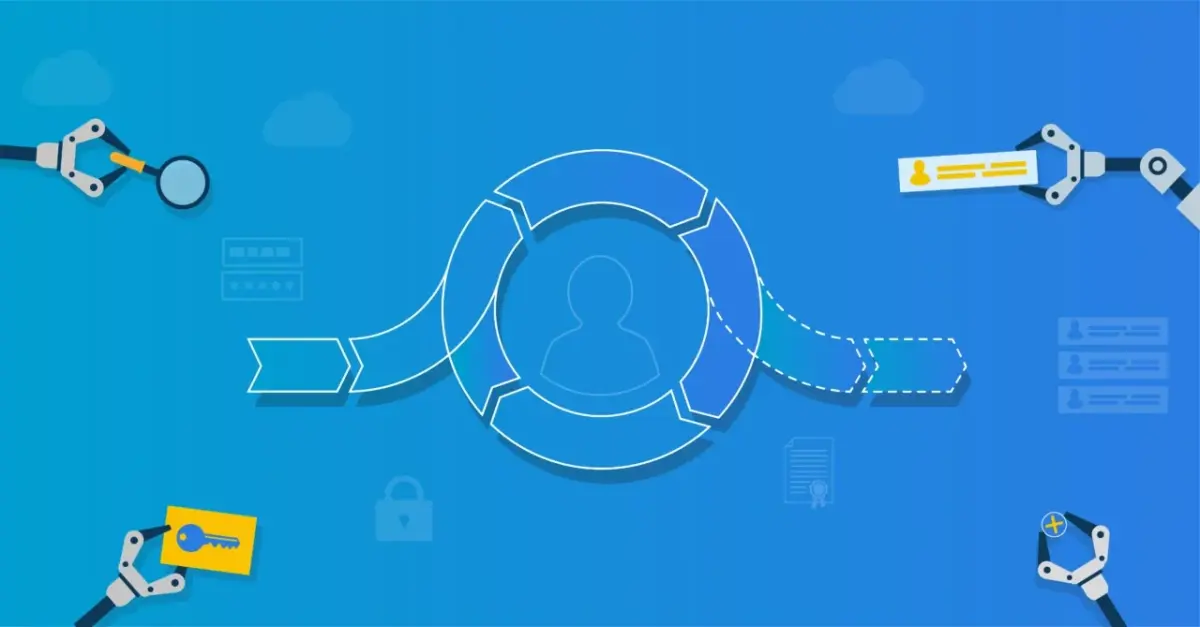
User Provisioning concerns the automation of the identity lifecycle. Based on defined business rules and a role model, the source and target systems are connected, enabling roughly 80 percent of manual user and authorization management tasks to be handled fully automatically. The most familiar steps in the user lifecycle are joiner, mover, and leaver (JML). Rehire also falls under this scope. By automating JML processes, this IAM functionality addresses a large portion of the identified problems related to error-proneness, time and cost, and timeliness.
Integrations
An Identity and Access Management solution connects source and target systems, automating user and authorization administration without manual intervention. Often, only one or a few systems are suitable as a source system. For target systems, it is advisable to start with applications used by many users and that require frequent changes.
To achieve the desired efficiency and cost savings, the cost of integrating must be proportional to the time saved. An application used by one or a few people is generally not worth integrating. The exception is when the application contains highly sensitive data. In that case, you want to eliminate manual errors, and integration can be valuable. Even then, it may be considered to handle this not within provisioning but within the service automation process.
Source System
The foundation of an automated user management process starts with a central system of record that serves as the source of truth for other systems and applications. This core registration system is also called the single source of truth. In most organizations, the HR system is a good single source of truth. The organization has a direct interest in keeping the HR system accurate. Payroll is based on this data. If someone is not in the HR system, they will not be paid. If someone remains in the system after employment ends, that former employee could still receive a salary. In both cases, there is sufficient motivation to invest time and energy in accurate registration.
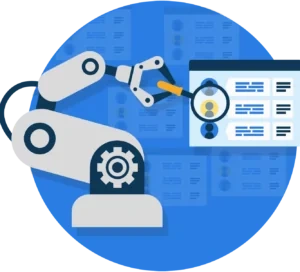
Beyond data integrity, the HR system contains relevant information needed to manage users and permissions correctly. Examples are first and last name, and preferred name. You need these to generate a username and email address. More important are the contract details. Based on start and end dates, you know when to create a user account and when to disable it. The person’s job function and department indicate the work they do and, therefore, the rights they need. These data are also useful to display in a directory or contact list. Finally, the person’s manager is often recorded in the HR system. That is important for service automation, which we will address in the next blog.
Multiple Source Systems
Do not be misled by the word 'single', because there are situations where you will apply multiple source systems at the same time. Consider a healthcare organization that, in addition to the HR system, also uses a scheduling package as a source. It records which care workers treat which clients and when. Or an educational institution that maintains students in a Student Information System (SIS). It's important to remember: Identity and Access Management is not limited to employees, but encompasses all users who need access to your IT environment.
Target Systems
Based on the source system, you know who your users are and what they do in the organization, but that alone does not help the users. On the other side are the various target systems that require user accounts or specific rights. This can be an (Azure) Active Directory or Google Workspace. The NTFS file system or SharePoint Online. Also, line-of-business applications such as Customer Relationship Management (CRM), Electronic Health Record (EHR), or Learning Management System (LMS).
A target system can also serve as a source system. For example, an HRM application often includes Employee Self-Service to update your address or submit a leave request. To log in, you need a user account that may not be linked to your HR record. Management of these accounts can be automated by connecting the application as a target system to a User Provisioning system.
Target systems can also have dependencies. Consider a user’s email address. In manual user management, an IT service desk employee often 'comes up with' this address. Before it is assigned to a user, availability must be checked. With automated User Provisioning, the IAM solution generates the address, checks it in, for example, an (Azure) Active Directory, and records it there. The address is then needed in many other applications. For example, the HR self-service application mentioned above.
Identity Lifecycle
Identity lifecycle management means that when a user change in a source system triggers changes in one or more target systems. We can roughly distinguish the following identity lifecycle events:

In other words, when someone is registered in the source system, they need an account. When the hire or start date is reached, the account is activated. If a change occurs, such as a name change, for instance, due to marriage or divorce, or a job change due to a promotion, this leads to different account data and rights. When someone leaves the organization, the system revokes their rights, disables their account, and eventually removes it.
Normally, this results in a lot of manual work for both HR and IT. HR must notify whenever a change occurs. The service desk and application administrators process changes across the various systems. If either party fails to act or makes changes, this affects timeliness, productivity, and information security.
A user provisioning solution can fully automate these changes. The IAM system reads the source system on a schedule and compares snapshots. By performing a gap analysis, it automatically detects all changes. The HR employee only needs to process changes inside the HR system. That workflow does not change. They no longer need to manually inform IT. Based on documented procedures and attribute mappings, the system can automatically propagate changes to connected target systems. This reduces workload for the IT service desk and functional application management. End-to-end, the automated process ensures that changes are applied on time and without errors.
Role Model
You may wonder how the IAM solution determines which people in your organization need accounts in which applications and which rights. You define this in the solution’s role model. The role model is the brain of your Identity and Access Management system. Other common terms are authorization matrix, Role-Based Access Control (RBAC), or Attribute-Based Access Control (ABAC). We summarize this as business rules. A business rule consists of conditions and permissions. Based on the condition, the role model determines whether the business rule or role applies to a person. The access rights determine what someone receives in that case. Or conversely, what they lose when the person no longer meets the defined conditions.
Conditions
Conditions determine which people fall within the scope of a business rule. You select a subgroup of users who will receive the permissions linked to the rule. The principle is that every user in the organization has a clear role aligned with their work. You can infer the work someone performs from their job function, team, department, division, and location. Within an authorization matrix, you start with the conditions for the top layer of the organization. It is often the case that almost everyone needs rights such as an (Azure) AD account, access to the internet and intranet, and Microsoft Office. If you go a level deeper, for example, to departments, access to the departmental network share is needed. Only when necessary do you define conditions at the level of individual functions or combinations of attributes, such as function and department. In practice, a large share of manual tasks can already be handled at the higher levels.
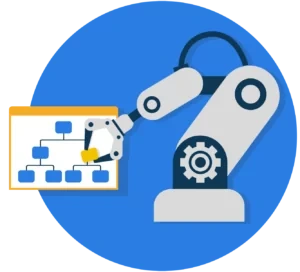
If you configure it for each employee exactly, you will see that each employee is unique. The result would be as many roles as employees. That is exactly what we do not want. It would shift manual user and authorization management to manual management of the role model. That brings the same problems with errors, timeliness, productivity, and cost that a properly configured IAM solution is designed to solve. The guideline is that User Provisioning can automate about 80 percent of user and authorization management. An IAM solution with service automation technology handles the remaining 20 percent.
Access Rights
After you have identified a role, assign access rights to specific applications and data to enable it. This ensures that everyone with the same role automatically receives the same rights.
There are five types of permissions you can link to a role:
Account
Account Access
Group Membership
Permission
Sub-Permission
When assigning an account, a new user account is created in a blocked state. When account access is granted, the account is enabled. Group membership refers to associating a user with a group in a target system. Permissions are custom rights in target systems that can optionally be linked to sub-permissions.
Within an IAM solution, these processes must be closed. There must always be a counterpart to granting an access right. If someone’s role changes, you want the corresponding rights to be adjusted automatically, and not only added. This is very difficult to track manually for each user. For an IAM solution such as HelloID, this is much simpler. The opposite of granting a permission is revoking it. The opposite of account access is disabling the account. The opposite of creating an account is deleting it. Because of this operation, you can be confident you will not end up with orphaned accounts in your network that are no longer managed, either manually or automatically.
In our next blog, you will read how a Service Automation solution helps your organization. Do you want to know more about our User Provisioning module in HelloID?