How a Service Automation Solution Helps Your Organization
In our blog "Why do you need an Identity & Access Management (IAM) solution?", we identified three categories of challenges: efficiency and cost reduction, compliance with laws and regulations, and protection against data breaches. In our previous blog, we explained how User Provisioning technology can automate more than 80% of user and authorization management tasks. But how do you handle exceptions to the rule? Or how do you manage external users who do not appear in any source system? In this blog, we describe how the IAM technology Service Automation helps organizations in these and other areas.
How Does an IAM Solution Help?
We previously identified several drivers that can prompt the development of an IAM strategy. These are challenges that arise with manual user, authorization, and access management. In summary, these are 'efficiency and cost reduction', 'compliance with laws and regulations', and 'protection against data breaches'. The three IAM technologies that address these problems are 'User Provisioning', 'Service Automation', and 'Access Management'. We dedicate a blog post to each of these technologies and their impact on manual administration. Now it is Service Automation's turn.
Service Automation
An automated User Provisioning process based on a source system can do a lot, but it cannot automate all user and authorization management. A job change can be found in the HR system, but temporary participation in a project group often cannot. However, this may require temporary access to a project folder, application, or shared mailbox. Or consider incidental and completely random events such as forgetting a password. Without a Service Automation solution, these changes are handled manually by expensive helpdesk staff or functional administrators. For employees, it is not always clear where they need to go. Or they do not yet have approval from the responsible manager. While they wait, they are idle. Even if you have a clear, relatively smooth process, you still need to meet compliance requirements and be able to demonstrate this to the relevant authorities.
Service Automation includes a solution for automating everything that cannot be efficiently automated based on a source system. In other words, the remaining 20% of user and authorization management work. Service Automation brings people and technology together so these tasks can be performed simply, consistently, and efficiently. It improves the user experience, productivity, and recordkeeping, while reducing errors and unnecessary costs. The best-known component of Service Automation is self-service, but helpdesk delegation also falls under this IAM technology. Although the term may be less familiar, it is often the first step in introducing the technology within the organization.
Helpdesk Delegation
Traditionally, helpdesk staff have high admin rights for applications such as Active Directory Users & Computers (ADUC). This brings significant security risks. You may want a helpdesk agent to reset employee passwords. At the same time, this permission also allows changing the director's password, creating new accounts, or even deleting an entire Active Directory. We know from our customers that this is a realistic scenario. It is also important to record every change. You must always be able to see what happened, why, and by whom. Systems do not always track this by default, and you can only hope the helpdesk agent does not forget to do so, whether consciously or not.
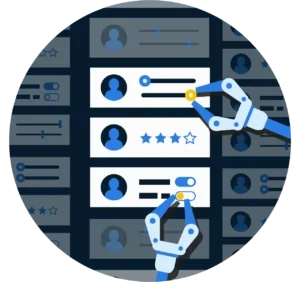
Helpdesk Delegation enables you to offer delegated forms to non- or semi-skilled helpdesk agents and key users. By key users, we mean easily approachable colleagues on the floor who have the exact permissions needed to help their colleagues. Forms can be used for IT administration tasks such as creating user accounts, assigning and revoking access rights, and resetting passwords. This enables staff to perform specific helpdesk tasks without requiring admin rights on the underlying systems. The solution also differentiates between the forms based on a person's permissions. Returning to the earlier example of a junior system administrator having permission to reset passwords, except for managers or executives. Or access rights can be granted, but high-risk privileges cannot be granted without approval from the respective resource owners.
In addition to the intuitive graphical interface and extensive authorization options, Helpdesk Delegation provides assurance. Assurance that changes are always performed in the same uniform way. And assurance that an audit trail is always available. This can be automatically recorded in the ITSM in use, such as TOPdesk.
Self-Service
Self-service is a widely known and fast-growing phenomenon. Who isn't used to managing their banking through a mobile app? Submitting healthcare claims online? Or scanning and paying for groceries yourself at the supermarket? Self-service has been widely adopted and is here to stay. At least as a consumer. As an employee, you see that this technology is much less within reach. You may be able to request vacation days digitally, but arranging a temporary increase in access rights yourself is not possible in many organizations. Where you can purchase new travel insurance in five minutes, employees have to jump through hoops and wait days to access a network folder. Which they need to do their job.

An employee generally knows very well what is needed to work efficiently. Often better than their manager. And certainly better than the IT department. Managers can assess whether an employee may have something, although the final decision often rests with functional administrators and license managers. The IT department knows best how to execute a change. The bulk of requests received by the helpdesk are similar in nature. Password resets, account unlocks, and privilege changes. These are tasks that the average IT professional does not enjoy, yet they consume significant resources. With Helpdesk Delegation, IT helpdesk staff are relieved, and each of the above stakeholders has a dedicated view within self-service to easily request IT-related items for themselves, their team, or their resources.
Application Owner Self-Service
Self-service aims to delegate work that previously sat with the IT department to other parts of the organization. After the helpdesk, the next logical step is to provide a service counter for the so-called resource owners. A resource owner is often a functional application administrator or license manager responsible for a specific system, application, or folder. Service Automation provides them with a clear overview of users who have access to their resources and an easy way to grant or revoke access. It is immediately clear who uses which licenses, whether too many are in use, and how many remain available.
Manager Self-Service
Delegation to the manager is the next step. Technically, this is a simple step because the forms and actions have already been defined for the service desk staff and the resource owners. From an organizational perspective, this is a significant step because more employees will directly interact with the Service Automation solution. After implementing this layer, managers gain immediate insight into their employees' access rights. And therefore, which licenses they use. This increases managers' awareness of their department's IT footprint and helps reduce unnecessary costs. The manager can also add or remove rights for an employee. A cumbersome process with service tickets and service staff is no longer required to execute them.
Employee Self-Service
The ultimate self-service step is delegation to the end user. Through a self-service catalog, employees can easily request additional rights for applications, folders, or mailboxes. An approval step, where, for example, the manager reviews the request before it is implemented, prevents end users from obtaining items not required for their job. This review is much simpler for a manager or license manager than for an IT staff member. After approval, the Service Automation solution automatically implements the changes.
By default, Service Automation is ideal for handling access requests to and within systems, applications, and folders. The IAM functionality also offers controlled customization to automate complex, organization-specific actions. Examples I have seen range from creating and extending guest accounts to users who must first accept privacy terms before their account is enabled, to even the complete processing of asset requests, including automatically handling the digital signing of loan agreements. As with connectors for User Provisioning, the only limitation is the availability of an interface to the system you want to change. And your own imagination, of course.
Workflows
When a role model uses Role-Based Access Control (RBAC), self-service uses Claim-Based Access Control (CBAC). That does not mean every employee can claim all rights. Applications such as Microsoft Visio and Adobe Photoshop are issued selectively due to high costs and specialized use. When accessing an HR department network folder, the focus is on privacy and security risks. Different requests require different reviews by different people. A Service Automation solution must be able to facilitate all these different request and approval processes.

Manual Request and Approval Process
Without a Service Automation solution, you often see end users submit access requests via phone, email, or tickets. The IT helpdesk then seeks approval through the same variety of channels. After the request is reviewed, the change is manually implemented in the relevant systems and applications. It must then be recorded which actions were taken.
Requesting and Approving Through Service Automation
As you can see, there are many manual steps and manual work between the request and the moment when an employee actually gains access to the desired resources. With Service Automation, this is much faster and more efficient, and you capture these processes in workflows. In a workflow, you determine whether a request can be approved automatically or must first be reviewed and by whom. For example, you might automatically approve access to Microsoft Visio, but require the employee's manager and the responsible department manager to approve access to a folder with HR data. When an employee requests a resource, the approvers receive a notification with approve and reject buttons. If the request is approved by all stakeholders, the solution processes it automatically.
Automatically Revoking Rights
That does not end the story. What if the person no longer needs the rights? If it truly belonged to their role, they would have obtained it through the role model within the User Provisioning process. For optional access rights, requests are often temporary. However, while Visio costs the organization a lot of money, it causes much less pain for the employee. If they might need it again in the future, it is convenient to already have it, right?
If you still expect employees to return excess rights, forget it. Requesting items is usually not a problem, but returning them rarely happens. This natural behavior conflicts with the important information security principle of 'least privilege'. The concept is that the user gets the minimum access levels or permissions needed to perform their job. An essential component of a Service Automation solution is, therefore, the ability to enforce time-bound access. A workflow often includes a maximum duration. Within a defined time window, employees can choose how long they want to use a self-service product. This ensures you always have a closed-loop situation, and optional rights are automatically revoked. Rights accumulation, which we identified as a challenge, becomes a thing of the past.
Auditable
Organizations must demonstrate that their processes are designed in accordance with applicable laws and regulations. It must also be traceable which users performed which actions. Registration and reporting are therefore essential within all user, authorization, and access management processes.

Without a Service Automation solution, it is particularly difficult to reach a conclusive determination for optional authorizations granted during employment. With such a solution, it suddenly becomes extremely simple. Whether a helpdesk agent requests something via helpdesk delegation or an employee via self-service. Regardless of the workflow. All requests, approvals, executed actions, and related items are not only automated but also centrally logged. This is a major difference from manual execution in ADUC, for example, where logging often lacks. Or manual processing across different systems and applications, where logging is fragmented. Or worse, where logging itself is a manual action in an ITSM application such as TOPdesk or ServiceNow. Because data breaches often happen (whether intentional or not) from the inside, and who has no interest in logging their actions? Exactly.
This is not an argument against using ITSM solutions such as TOPdesk, Ultimo, Zendesk, and ServiceNow. On the contrary, where these used to be the starting point for account or authorization requests in many organizations, they now become the endpoint. The workflow resides in Service Automation, as does execution. If manual handling is still required, such as granting rights within an application without an interface or issuing a token, this simply results in a change request in ITSM. A receipt is written for each workflow for management reporting anyway. An application such as TOPdesk can therefore continue to deliver comprehensive strategic information on your service desk's performance and provide insight into productivity gains. Before you start, we also strongly advise reviewing your top 10 tasks in your service desk application to identify low-hanging fruit for automation through Service Automation.
Conclusion
A Service Automation solution ensures your request and approval processes are consistently followed. It records all activities and stakeholders involved. It also provides proof that you comply with applicable information security standards. It offers a simple interface for employees to manage their own IT requests. For managers, application administrators, and other resource owners to approve or reject requests with a click. While you significantly reduce the number of helpdesk tickets. As a result, the IT helpdesk can spend the freed-up time on more complex challenges. Service Automation technology secures the request and approval process across the organization while operating more efficiently, effectively, and securely. A win, win, win.
In our next blog, you will read how an Access Management solution helps your organization. Would you like to learn more about our Service Automation module within HelloID?