Free Demo Contact
Use Case

Secure cloud access

Secure remote work with cloud-based, automated, role-driven account and access management.

CHALLENGE

How can you enable secure and user-friendly remote work in the cloud?

We work remotely more frequently, store data in the cloud, use cloud applications, and access them on the go from various devices. Not only do an organization’s employees need access to data, but also contractors, customers, and partners. In such a distributed and complex digital landscape, information security is critical, but how can we implement it effectively?

SOLUTION

Cloud-Based IAM with Role-Based and Automated Account and Access Management

The anchor point for secure remote work is cloud-based, centralized, and automated account and access management. By using data directly from business systems and granting and managing access rights based on a person’s role, we can protect information effectively and in line with the least privilege concept, even in complex cloud environments. After proper authorization, secure authentication to applications is also important. With modern access management technologies such as Single Sign-On (SSO) and Multifactor Authentication, security does not hinder usability.

Automated, Business-Driven Account and Access Rights Management

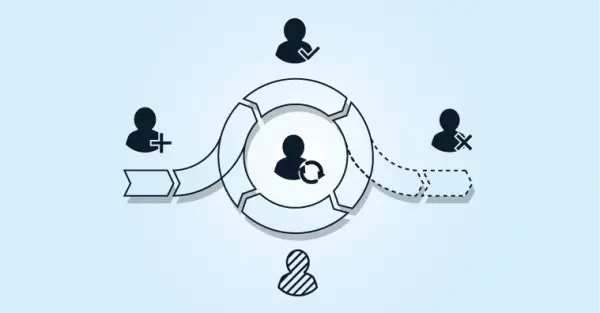
  • The account lifecycle, including joiner, mover, and leaver, is fully automated and driven by business systems.

  • At the end of employment, accounts are automatically deprovisioned. There is no risk of data breaches from active, forgotten accounts.

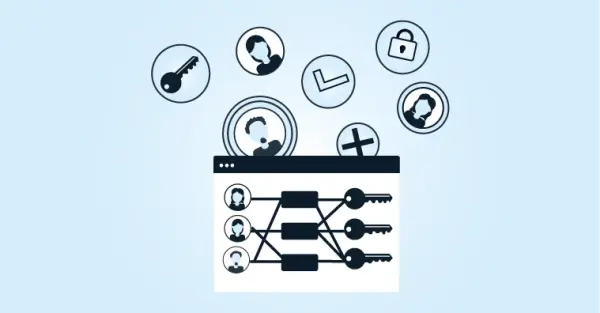
  • Access rights are managed based on a person’s role. Access is on a need-to-know basis. Undesired privilege creep is prevented.

  • Automated requests for additional and/or temporary access with configurable approval steps and an adjustable duration.

Simple and Secure User Access

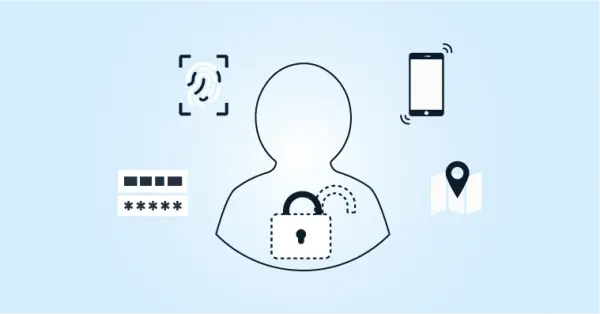
  • Additional verification methods, such as Multifactor Authentication, combined with Single Sign-On, keep access secure and user-friendly.

  • After signing in, users can easily open their applications and data shares from any type of device.

  • Not only for regular employees, but also for other user groups such as contractors, clients, or partners.

  • Access rights can be refined based on contextual factors such as time, location, network access, and device type.

Cloud-Based Identity and Access Management

  • Secure and scalable cloud-native multi-tenant solution.

  • Tools4ever is an ISO 27001-certified organization.

  • Flexible solution. Configurable core platform, supplemented with add-ons and connectors for source and target systems.

  • Integrations with cloud applications and on-premises systems.

HOW IT WORKS

How We Implement a ‘Remote & Cloud Ready’ Identity and Access Management.

6 steps that can each be configured with low-code or no-code:

  1. Source System: Integrate HelloID with source systems such as HR, SIS, and/or scheduling systems. Changes to the source data are automatically available in HelloID.

  2. People: Convert person and role data from source systems into a common representation within HelloID using an identity vault.

  3. Business Rules: Define rules that determine which types of accounts and access rights are granted to which roles, and under which conditions.

  4. Target Systems: Connect HelloID to on-premises and/or cloud applications. This can be executed step by step per application.

  5. Access Management: In conjunction with, for example, Active Directory, configure access procedures such as Single Sign-On (SSO) and Multifactor Authentication (MFA).

  6. Reporting and Auditing: Configure standard and customer-specific reports and monitoring functions for analysis and audits.

FAQ

Frequently Asked Questions

What is hybrid work?

Hybrid work refers to a combination of working in the office and at home. For example, someone may come to the office a few days per week for in-person meetings with colleagues or customers. On other days, people work from home and connect by phone or with online meeting solutions such as Microsoft Teams. In some organizations, there are multiple work locations, and employees also work partly at customer sites. These are all forms of hybrid work in which secure, user-friendly remote access to applications and data is essential.

What does cloud-native mean?

Many applications are offered today as a cloud solution. It is important to understand how such a cloud solution was created. Sometimes an existing on-premises system has been moved to a cloud platform through rehosting, for example. You often miss the specific advantages of the cloud in that case. A cloud-native application is designed from the ground up based on the capabilities and principles of cloud technology. This is often reflected in areas such as scalability, manageability, enhanced data security, and the solution's flexibility.

What is Role-Based Access Control (RBAC), and how does it contribute to more secure cloud access?

RBAC is an approach in which access rights are granted based on a user's role within an organization. For each role, the required accounts and access rights are defined. As a result, users receive only the information and tools they need for their specific role. This minimizes the risk of unauthorized access and supports adherence to the least privilege principle, thereby making cloud access more secure.
How does Multifactor Authentication (MFA) provide more secure cloud access and how does this relate to usability?

MFA requires users to use two or more verification methods to gain access to an account or application. This can be something they know, for example, a password; something they have, for example, a smart card or a smartphone; or something they are, for example, a fingerprint. By using multiple authentication layers, it becomes more difficult for malicious actors to gain unauthorized access. At the same time, when combined with solutions such as Single Sign-On (SSO), the experience remains user-friendly because users do not have to log in to each application separately.

How does HelloID ensure that accounts of employees who leave the organization are no longer accessible in the cloud?

HelloID has an automated process for the entire account lifecycle, including employee departures. When an employee leaves the organization, and this is recorded in a source system, for example, an HR system, HelloID ensures that the employee's account is automatically deactivated or removed. This eliminates the risk of forgotten active accounts that have access to business information and could cause data breaches.