







Provisioning
Provisioning is a process in IT management that focuses on efficiently managing user accounts and systems within organizations. This task ranges from setting up server hardware and cloud infrastructure to managing network components and user accounts. In this digital era, an effective provisioning strategy is critical to ensure operational efficiency, security, and regulatory compliance. This article highlights the various aspects of provisioning, with a special focus on user provisioning, and examines how these contribute to a streamlined, secure, and compliant IT environment.
What is Provisioning?
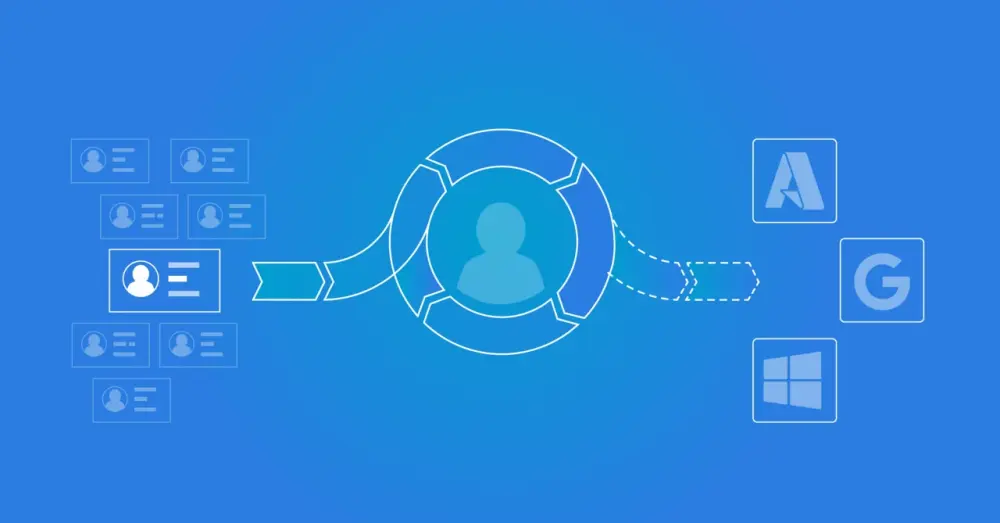
Provisioning is the process of configuring user accounts and systems.
Types of Provisioning
There are several types of provisioning, each with a specific focus and purpose within IT management. Below, we explore the types essential to the effective delivery and management of IT services and resources in modern IT environments. They help minimize manual tasks, improve efficiency, and ensure a consistent and secure rollout of IT resources.
Server Provisioning: Server provisioning focuses on preparing server hardware, both physical and virtual. The process includes installing and configuring software, including operating systems and applications, and also establishes the required connections to middleware, network components, and storage.
Cloud Provisioning: Cloud provisioning is the process of configuring the foundational infrastructure of an organization’s cloud environment, including installing network components and services. Once the baseline cloud infrastructure is in place, provisioning consists of configuring the resources, services, and applications within a cloud.
User Provisioning: User provisioning, also known as user account provisioning or account provisioning, is part of Identity and Access Management (IAM). It covers the technologies required to automate the creation, modification, deactivation, and removal of user accounts across the IT infrastructure and business applications.
Network Provisioning: In IT infrastructure, network provisioning is the process of configuring network components such as routers, switches, and firewalls. It also includes assigning IP addresses and performing operational health checks to ensure the network functions optimally.
Service Provisioning: This process concerns setting up IT-dependent services for end users and managing the associated data.
In this article, we examine user provisioning in more detail.
User Provisioning
User provisioning, or user account provisioning (account provisioning), is a subprocess within Identity and Access Management. It is the technology that ensures user accounts in the IT infrastructure and business applications are created, modified, disabled, and deleted automatically. These actions are always the result of personnel changes, such as:
Onboarding: When a new employee joins, an account is created for them.
Promotion: When an employee is promoted, their account can be modified to grant access to new systems or functions.
Offboarding: When an employee leaves the company, their account is disabled or removed.
Marriage or Divorce: The display name and email address are updated when desired.
Transfer: When an employee transfers from one department to another, their access rights may need to be adjusted to reflect the new role and responsibilities.
Temporary Replacement: If an employee is temporarily replaced, for example, during parental leave or extended illness, the replacement may need access to certain systems or functions.
Project Assignment: If an employee is assigned to a specific project, they may need access to certain project-related systems or functions.
Security Update: In the event of a security update or policy change, the access rights of multiple or all employees may need to be adjusted.
Managing user accounts and permissions for employees on the network can be time-consuming for the IT department. Much of the information in an HR system is already sufficient to manage user accounts. For example:
Personal Details
Contract Start and End Date
Department
Job Title
'Manager Employee' Relationship
By connecting this information with the network, the user management process can be fully automated.
Why is User Provisioning Important?
Provisioning plays a critical role in the modern business environment. It is not only a matter of efficiency, but also of security, regulatory compliance, improved user experience, and cost reduction. Its importance cannot be overstated, especially as organizations become more dependent on digital technologies and the business environment grows more complex. Here are some reasons why it is so important:
Efficiency: Manually creating, modifying, and deleting user accounts can be time-consuming, especially in large organizations with many employees. Provisioning automates this process, saving the IT department time to focus on other tasks.
Security: By automating the user provisioning process, the risk of human error, such as forgetting to deactivate accounts for former employees, is reduced. This helps improve the security of the IT infrastructure.
Compliance: Many organizations must comply with regulations that govern how they manage user accounts. Provisioning enables organizations to meet these requirements by ensuring consistent, controlled account management.
User Experience: Provisioning ensures that employees quickly gain access to the systems and applications they need to do their work. This improves the user experience and can increase productivity.
Cost Savings: By automating the process, organizations can reduce costs associated with manual user account management. This can lead to significant long-term savings.
How Does User Provisioning Work?
A new employee joins a company. The HR department enters theemployee'syee’s information into the HR system. The user provisioning system detects this new entry and automatically creates an account for the new employee in all systems and applications they need for their work. When the employee is later promoted, the system automatically updates their access rights. When the employee leaves the company, the system automatically disables or deletes the account.
Provisioning is a process that can be divided into several steps. Here is a general overview of how it works:
Account Creation: When a new employee joins a company, the system automatically creates an account for them, typically based on information provided by HR. The account contains basic information such asemployee'syee’s name, job title, department, and other relevant details.
Assignment of Rights: Depending onemployee'syee’s role and responsibilities, they are granted access to certain systems, applications, and data. This process is also called ‘rights management’. It is essential to ensure that employees have access to the tools they need to do their jobs, but nothing more.
Changes to the Account: Over the course of an employee’s tenure, account changes may be required. This can result from a promotion, a transfer to another department, or other role changes. These changes are implemented automatically by the user provisioning system.
Disabling or deleting the account: When an employee leaves the company, the system disables or deletes their account. This is a crucial step to prevent former employees from retaining access to company systems and information.
It is important to note that provisioning is not only about individual users. It can also apply to groups of users, such as departments or teams. In such cases, a group of users can be granted collective access to certain systems or applications.
The Different Types of User Provisioning
User provisioning can be implemented in several ways, depending oorganization'sion's specific needs and circumstances. Here are some of the most common types of user provisioning:
Manual User Provisioning: The most basic form of user provisioning, in which IT staff manually create, modify, and delete accounts. Although this can work in small organizations, it is usually not scalable and can lead to errors and inconsistencies.
Automated User Provisioning: In this scenario, the system automatically creates, modifies, and deletes accounts based on predefined rules and policies. This can be significantly more efficient and reliable than manual provisioning, especially in larger organizations.
Self-Service User Provisioning: Users can manage certain aspects of their accounts, such as resetting passwords or updating contact details. This can reduce the burden on IT departments and increase user satisfaction.
Decentralized User Provisioning: In some cases, different departments or teams share responsibilities for user provisioning. For example, the HR department may be responsible for creating accounts for new employees, while the IT department is responsible for assigning access rights.
Integrated User Provisioning: A more advanced form of user provisioning in which the provisioning process is integrated with other systems and processes across the organization. For example, when a new employee is hired, the HR system automatically signals the user provisioning system to create an account.
Each of these approaches has its own advantages and disadvantages, and the best choice depends on factors such asorganization'sion's size and complexity, the nature of the user base, and specific security and compliance requirements.
Provisioning and Security
Provisioning plays a critical role iorganization'sion’s security. Centralizing and automating user account and access management can help reduce several common security risks. Here are some ways provisioning contributes to security:
Minimizing Unauthorized Access: By ensuring that only authorized users can access systems and data, provisioning helps prevent unauthorized access and data breaches.
Management of Access Rights: Provisioning enables precise management of users’ access rights. This means users have access only to the systems and data they need for their work, reducing the risk of accidental or malicious damage.
Rapid Response to Security Incidents: In the event of a security incident, such as suspected account misuse, provisioning can enable a rapid response, for example, by immediately disabling an account.
Compliance: Many regulatory standards, such as the GDPR, require organizations to maintain strict access controls over certain types of data. Provisioning can help meet these requirements.
Audit Trails: Automated provisioning systems often maintain detailed logs of all changes to user accounts and access rights. This can be valuable for audit purposes and for investigating security incidents.
Although provisioning plays an important role in security, it is only one part of a comprehensive security strategy. It should be complemented with other security measures, such as strong authentication mechanisms, regular security audits, and building a culture of security awareness among employees.
How to Implement Provisioning in Your Organization
Implementing provisioning in your organization with HelloID can deliver significant improvements in efficiency and security. Here are the steps you can follow to achieve this:
Analyze Your Needs: Start by identifying the systems and applications your employees use and the access rights they require. This will help you understand which features you need from a provisioning solution.
Choose HelloID: HelloID offers a powerful and flexible provisioning solution that you can tailor to your organization’s specific needs. It provides features such as automated account creation and deletion, detailed access control, and integration with a wide range of systems and applications.
Configure HelloID: Configure HelloID to work with your systems and applications. This includes setting rules for automatically creating, modifying, and deleting accounts, as well as defining access rights for different roles within your organization.
Train Your Employees: Ensure your employees know how to use HelloID and understand its benefits. This supports the adoption of the new solution and promotes correct use.
Monitor and Adjust: After implementing HelloID, it is important to continue monitoring its operation and adjust when needed. This helps you identify potential issues early and ensures your provisioning process continues to meet organization'sion’s needs.
With HelloID, your organization can benefit from a streamlined, automated provisioning process that increases efficiency, improves security, and facilitates regulatory compliance. Contact our team for more information on how HelloID can help your organization.
Download Flyer Download Whitepaper
Not a Tools4ever customer yet but interested in the possibilities?
Schedule a MeetingRelated Articles
- How Zero Trust Helps Organizations Reduce Cyber Risks
- From Startup to Scale-Up. Who Still Has Access to What?
- Tips for Your Reorganization with IAM
- Organizing RBAC with Role Mining
- Governance - What and Why?
- More secure login with FIDO2?
- Access Management: Troubleshooting and Best Practices
- RBAC best practices for effective access management
- SSO vs Password Manager
- Access Management – Implementing Multi-Factor Authentication