







Phishing
What is Phishing?
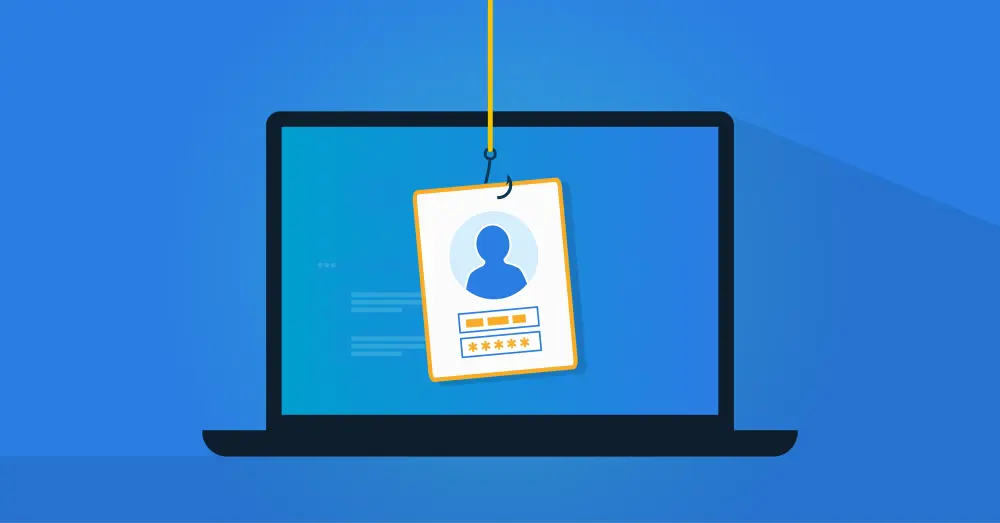
Phishing is a type of online fraud in which someone impersonates a trusted party to steal personal information, such as passwords or credit card numbers. This most often happens through fake emails that look legitimate.
An Example of a Phishing Email
Phishing emails look like normal emails at first glance, but they often have recognizable patterns and characteristics on closer inspection.

Here are some characteristics you can use to recognize them:
Misleading Links: They often contain links that appear to be legitimate but actually lead to fake pages.
Urgency: They create a sense of urgency that pressures you to act quickly, for example, by threatening to close your account or offering a deal that seems too good to be true.
Requests for Personal Information: They often ask for sensitive information such as passwords, bank details, or Social Security numbers.
Unusual Sender: The sender’s email address often does not match the organization's official address.
Suspicious Attachments: They may include attachments that, once opened, install malicious software.
Branding and Design: They often try to mimic the look of legitimate emails, but closer inspection usually reveals differences.
It is important to emphasize that phishing emails are becoming more sophisticated, partly due to the use of artificial intelligence. Whereas these phishing emails once contained obvious spelling errors and incorrect logos, AI now makes them far more convincing.

Types of Phishing
Email phishing is the most well-known method, but it is just as important to recognize other variants, such as spear phishing. Below is an overview of the different types of phishing that occur:
Email phishing: The most common form in which you receive an email that appears to come from a trusted source. These messages try to lure you into clicking a link or entering personal information. Email phishing is a broad, generic attack in which the same email is sent to many recipients. The goal is to reach as many people as possible, in the hope that a small percentage will respond.
Spear Phishing: Messages are tailored to specific individuals or companies. These emails are often carefully crafted to appear to come from a colleague, friend, or trusted organization. They may include specific information relevant to the recipient, such as a real name, job title, or recent activity.
Whaling: A specific form of spear-phishing targeting high-level individuals within an organization, such as CEOs. The emails are often financial in nature and appear to come from trusted sources.
Smishing and Vishing: With smishing, you receive a text message, and with vishing, a phone call, both intended to trick you into sharing personal information. They often use urgency or threats to push you to act.
Pharming: You are covertly redirected to a fraudulent website even if you typed the correct address. These sites often closely resemble the real ones and prompt you for login credentials.
Consent Phishing: In this method, attackers seek your consent to access your data. They often impersonate legitimate applications or services that ask you to sign in and grant specific permissions.
Report Phishing
If you have encountered phishing, you can report it to the government's fraud helpdesk. They can direct you to the appropriate authority and provide guidance to mitigate the damage. You may also be eligible for compensation. Reporting fraud also helps prevent it from affecting others. These reports enable the government to issue warnings about new forms of phishing.
Consequences of Phishing
Phishing can have major negative consequences for companies. These range from financial losses to reputational damage and can significantly impact operations. Below, we explore the main consequences of phishing for businesses:
Financial Loss: One of the most direct consequences of phishing for businesses is financial loss. Cybercriminals can gain access to company accounts through phishing or trick customers into transferring money to fraudulent accounts.
Data Breaches: Phishing can lead to data breaches, where sensitive information such as customer data, trade secrets, or employees’ personal data falls into the wrong hands. This is not only a security risk but can also harm the company’s reputation.
Reputational Damage: If a company falls victim to phishing, it can undermine customer and partner trust. People may start to question the company’s security and reliability, which can lead to loss of customers and business opportunities.
Legal Consequences: In some cases, a company can be held legally liable for the consequences of a phishing attack, especially if it results in the leakage of personal data. This can lead to fines and lawsuits.
Operational Disruption: Phishing attacks can disrupt normal business operations. It takes time and resources to remediate the damage, and during this period, the company may operate less efficiently.
Costs for Remediation and Security: After a phishing attack, a company often needs to invest in restoring systems and data and in improved security measures to prevent future attacks.
It is therefore critical for companies to take proactive steps to protect themselves against phishing. We are happy to explain what we do and provide several tips to prevent phishing.
What We Do At Tools4ever
At Tools4ever, digital security is central to everything we do. We employ a security officer named Ron. He ensures we comply with all security standards, including ISO 27001 certification. Ron also shares his knowledge through a security training program for all employees, so everyone knows exactly what to do if phishing is suspected. If you ever have questions or need help quickly, there is a dedicated person in our IT department to assist.
In addition, both our software and our employees undergo regular security checks. We routinely have our software tested by external ethical hackers to quickly identify and address any weaknesses. We also train our employees to recognize phishing by sending simulated phishing emails, which increases their vigilance.
Want more information about how we protect our software? See our security whitepaper.
Tips to Prevent Data Breaches
Did you know that 74% of cyber incidents are due to human error? And phishing is a major factor. To help you, our specialists have compiled several valuable tips:
Double-Check If In Doubt: If you have any doubt about the authenticity of a message, err on the side of caution. A quick note or call to your IT department can make a world of difference.
Be Careful With Opening Messages: Received a message you do not fully trust? It is better not to open it. Even opening an email can sometimes be enough for criminals to activate malicious software. If you do not trust it, leave it alone.
Avoid Clicking Links: See a link in a suspicious message? Do not click it. A single click can be enough to put your system at risk. It is better to visit the organization’s official website yourself by typing it into your browser.
Do Not Open Attachments: If you doubt the authenticity of an email, do not open attachments. They are often carriers of malware and other unpleasant surprises.
Inspect the Sender: Take a moment to see who sent the message. If you do not normally receive messages from this person or organization, be alert. A familiar name does not always mean a safe sender. Fraudsters can spoof names. Examine the email address carefully and look for strange characters or anomalies that do not belong.
But how should you respond to phishing? Here are the most important tips on what to do when phishing occurs.
Tips on How to Respond to Phishing
Not sure if it is phishing? If you do not trust it, report it to your IT department immediately
Is it phishing? Do not shut down your laptop; set it to offline or airplane mode instead. Criminals activate malware on your computer after a restart so that you do not notice.
With these tips, I hope you can prevent phishing. If one still slips through, these tips will hopefully help you limit the damage.
[1] https://www.digitaltrustcenter.nl/informatie-advies/phishing/hoe-herken-ik-een-phishing-e-mail
[2] https://www.verizon.com/business/resources/reports/dbir/
Related Articles
- How Zero Trust Helps Organizations Reduce Cyber Risks
- More secure login with FIDO2?
- How do you prevent credential phishing?
- Smarter information and access security with AI
- Data Breach Report: 5 Key Takeaways
- Stopping Privilege Creep in its Tracks
- How to Prevent External Access to Key Files
- How an Access Management Solution Helps Your Organization
- Why Cyber Security Insurance Policies Are Requiring MFA