







OAuth
OAuth?
OAuth stands for Open Authorization and is a standard protocol that allows you to grant one application access to data or functionality within another application. OAuth uses digital tokens for this purpose, so it is not necessary to share usernames and passwords between those applications. This makes collaboration simpler and more secure.
What is OAuth?
With OAuth, you can pass authorization settings from one application or service to another in a standardized way. That may sound abstract, but you can compare it to the key card you receive at a hotel when you check in. The front desk does not hand over the hotel's master key. Instead, you receive a key card that encodes your exact privileges. As a guest, you can open the main entrance, have access to your own room, and, depending on your reservation, may also have access to the fitness center and the parking garage.
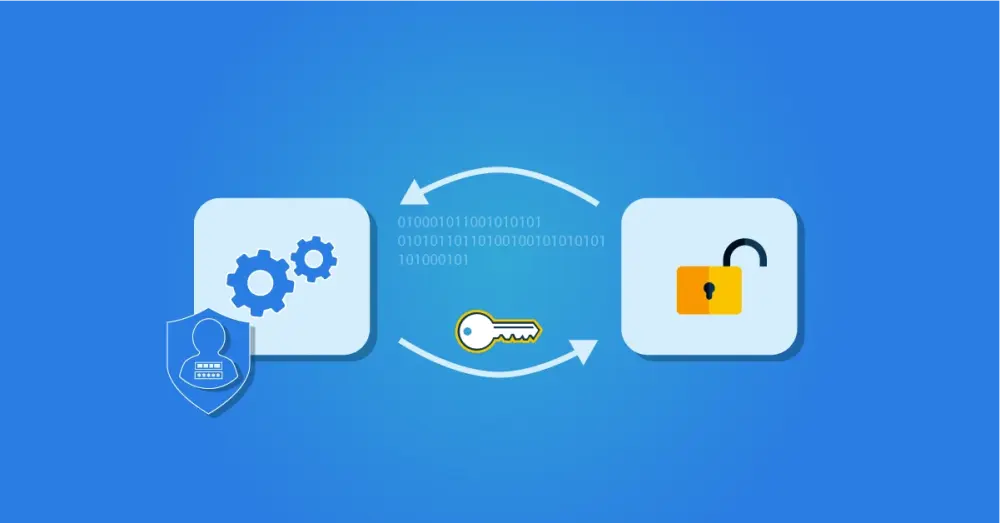
OAuth does something similar in digital environments. An authorization server grants rights to a target application via an access token. The application for which the token is intended receives permissions to specific data and functions available through APIs.
How Does OAuth Work?
We can best illustrate this with the type of use case OAuth was originally designed for. In the cloud era, applications often need data stored elsewhere. Or they use features within other systems. How can you make that data and functionality accessible to other applications? There are two approaches: the conventional solution before OAuth was developed, and the OAuth-based solution.
Conventional Access to Online Resources Without OAuth
Consider the example of a smart online photo editing tool. You want to use it to edit the photos you store in your Google Drive. The application needs access to your Google Drive, and in the pre-OAuth era, this was achieved by logging in directly to your Google account via an API from within the application. That required your username and password, and the result was that the application gained access to your photos as well as all other functionality and data within your Google account. That is not what you want, which is why OAuth was developed.
Access to Online Resources With OAuth
With OAuth, you no longer need to log in to your Google account from within that application. Instead, you receive a prompt that the application wants access to your Google Drive photos and that you must sign in to your Google account to grant permission.
When you sign in to your account, you are asked whether you want to allow the application to edit photos on your Drive. If you approve the request, Google, which in this case acts as the authorization server, sends an access token to the application. This gives it access to your Google account, but only to view and edit the photos. Any further access remains blocked.
To users, the scenarios look similar because in both cases, you sign in with your Google credentials. Without OAuth, however, this happens inside the application, and you effectively open the door to all your data. With OAuth, you sign in to your Google account as usual and grant the application only a specific permission: view and edit photos.
Benefits of OAuth?
OAuth provides several benefits:
We can grant system authorizations without sharing anyone's password. This creates a clear separation between user authentication and the authorizations that are granted.
We now have a mechanism for fine-grained authorization. When an application uses a person's own credentials, it automatically receives that person's full set of rights. With OAuth, you can configure much more specific authorizations. Rights can also be revoked easily without changing the password.
There is a standard protocol that can be used between different types of systems and applications from different vendors and service providers.
We simplify access management by allowing us to configure detailed access rights for multiple systems from a single place.
Examples of OAuth in Practice
There are countless examples of OAuth in use, but it is especially helpful to distinguish between two types of scenarios. We provide an example of each.
Use Case #1: Delegated Authorizations
The earlier scenario with the photo editing application is an example where OAuth is used only to delegate specific rights to other applications. In the photo editing application, you might see the following prompt as a user:
"This app wants access to photos in your Google Drive. Sign in to Google and grant permission to use your photos."
By signing in to your Google Account and approving the request, you grant that permission. The application then receives an access token with the exact rights, but it does not learn anything about the user. No identity data is shared; it is purely technical access to online resources.
Use Case # 2: Delegated Authentication, for example, Single Sign-On
Today, OAuth is also used to support scenarios such as Single Sign-On (SSO). Suppose you do not want to use the photo editing application ad hoc, but instead create an account to unlock more features. The traditional approach is to create an account, enter your personal details, and set a password. Fortunately, there are simpler options, such as signing in with Google or another social media account. In that case, the application displays a message along these lines:
"This app wants to use your identity to sign you in. Log in to Google and grant permission to share your name, email address, and profile information."
This is convenient because you do not need a separate username and password for this account. Once you are signed in to Google, you also have access to the application as a registered user. This mechanism is available with many consumer accounts (Google, Microsoft, Facebook, and others).
Organizations also make intensive use of such SSO functionality. This uses an Identity Provider such as Google Workspace, Microsoft Active Directory, or Entra ID. IAM vendors such as HelloID also provide a built-in Identity Provider.
Difference Between Delegated Authorization and Authentication
In the first use case, you used OAuth as intended. By means of a token, you grant access to specific technical resources. The user's identity does not matter.
In the second scenario, you use OAuth to share identity data as well. An additional authentication layer was developed as an extension to OAuth for this purpose. That authentication layer is OpenID Connect (OIDC).
OAuth 2.0
The previous examples refer to OAuth 2.0. The first version of OAuth was developed in 2007. It only supported websites and was still largely based on proprietary protocols from companies such as Google. In 2012, OAuth 2.0 was launched, which is much more powerful and also supports applications and mobile apps. Many more major technology players contributed to this version, leading to a complete redesign. Not long after the release of OAuth 2.0, the OpenID Connect layer was added for authentication.
OAuth Versus OpenID Connect (OIDC)
OpenID Connect (OIDC) is an extension of OAuth that also enables the sharing of identity data. The basic flows for authentication and authorization are similar, but the information sent differs. Instead of an access token with authorizations, an ID token is sent for identity data. And while the authorization server issues access tokens, the ID token is generated by an OIDC provider.
These are the functional terms; how the functionality is implemented in practice differs by vendor. The essence is that OAuth lets you grant authorizations centrally, and OIDC lets you confirm someone's identity from a single place. In an SSO scenario, a user signs in once at the start of a session with, for example, a password and Multifactor Authentication. If the user launches one or more applications during the session, the identity is confirmed each time immediately, without a separate sign-in. Under the hood, this uses the ID token.
OAuth versus Security Assertion Markup Language (SAML)
OAuth is often compared to SAML (Security Assertion Markup Language). Whereas OAuth was developed primarily for cloud applications and mobile use cases, SAML originally focused on enterprise applications. SAML is also less suited to granting authorizations like OAuth. While you can configure basic rights with SAML, its primary functions are authentication and SSO.
In terms of functionality, SAML is therefore most comparable to OIDC. Both SSO solutions are used in practice within professional IAM environments, and for example, the HelloID Access Management module supports both technologies.
HelloID Support for OAuth
Want to learn more about using OAuth, and specifically OIDC, within the HelloID platform? You can find all the details in this article.