







Multifactor Authentication (MFA)
What is Multifactor Authentication (MFA)
Simply put, Multifactor Authentication (MFA) is an authentication method in which the online user must successfully complete two or more steps to gain access. This type of authentication is also called Two-Factor Authentication (2FA). Although 'two-factor authentication' remains a popular term, MFA has increasingly become the umbrella term.
How does MFA work?
The first step is entering a username and password; this is the most common form of authentication today. Since the creation of individual user accounts for computer and application access, usernames and passwords have been the standard. The password is the most popular and widely used security measure, but it is also the most vulnerable. In the United States, for example, an email address is linked to an average of 130 different user accounts [i]. Two-thirds of users even reuse the same password across multiple accounts, which can lead to major data breaches [ii].
The second step is that, in addition to entering your username and password, you must provide a second key, or more, to sign in. Examples include: receiving an SMS code, receiving a sign-in request in a linked app on your smartphone, or entering a generated code. Only this combination allows you to gain access.
Today, cards with a PIN can replace the login screen. You scan your card (step 1) and then enter a PIN/password (step 2).
A bank card combined with a PIN is a simple example of two-factor authentication. When a crucial component is missing (a bank card or PIN), no access to the account is possible.
These examples show how MFA is an essential part of our daily interactions with technology and how it helps keep our data and information secure.
Why is MFA important?
In the digital age we live in, securing data and information is critical. Cyberattacks and data breaches occur daily, and their consequences can be devastating for individuals and organizations alike. This is where MFA comes in.
MFA plays an essential role in strengthening security by adding an extra layer of protection. While traditional security methods, such as using a single password, can be vulnerable to attacks, MFA makes it much harder for unauthorized users to gain access. Even if a password is compromised, MFA provides an additional barrier that must be overcome.
Moreover, MFA helps mitigate human factors that contribute to security risks. People tend to use simple, easy-to-remember passwords and reuse them across multiple accounts. This makes them vulnerable to attacks. MFA reduces this risk by requiring users to provide a second form of authentication.
In addition, MFA is also important for regulatory purposes. Many industries and regions have strict data security regulations that require MFA. By implementing MFA, organizations can meet these regulations and avoid potential fines or sanctions.
In short, MFA is important because it is a powerful, effective way to strengthen data and information security, reduce human-factor security risks, and comply with regulatory requirements. In a world where cyber threats are becoming increasingly sophisticated, MFA is no longer a luxury but a necessity.
The 5 Authentication Factors
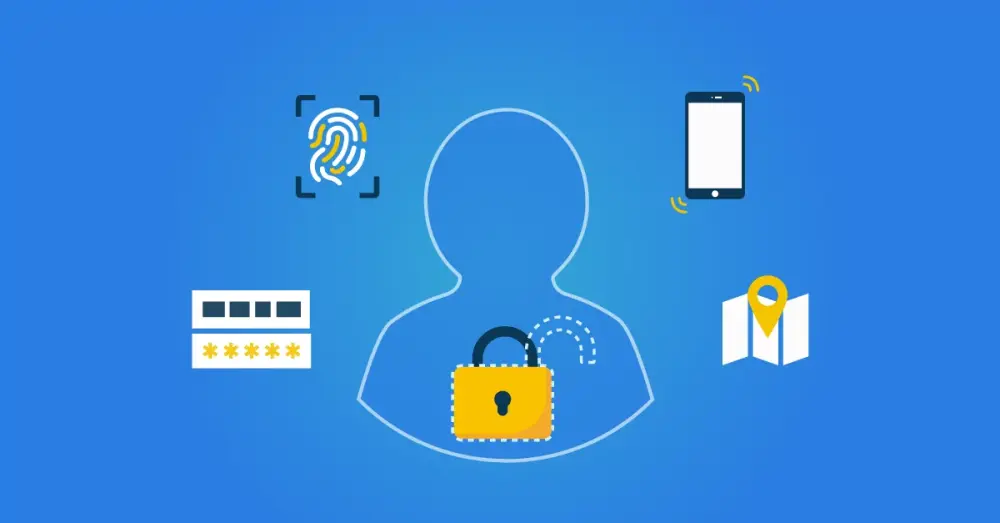
We can classify authentication mechanisms into five categories, or factors: something you know, something you are, something you have, location, and time. When it comes to security, each factor has different properties.
Something You Know - We all know this first factor: the username and the password. Security questions also fall into this category. Combining a username and password with a security question is still considered single-factor authentication, because they both fall into this category.
Something You Are - This factor includes all biometric data that can serve as credentials. Examples include fingerprints, facial recognition, or iris scans. This type of authentication has become increasingly popular on mobile devices with built-in fingerprint and facial recognition. These methods are easy to use. You always have your fingerprint with you, and you do not lose it easily.
Something You Have - Includes items such as key cards and hardware tokens. One-time passwords sent via SMS or email to users' mobile phones are increasingly classified under this factor. Using mobile devices helps mitigate the risk of losing physical items. In some systems, the user's device itself acts as a factor in this category once it has been marked as a "trusted device".
Location - Refers to geographic or network restrictions that can be applied to authentication methods for added security. For example, users can access an application only when they are within the corporate network or in a specific country.
Time - Refers to any restrictions that can be applied to limit authentication to a specific time range. Time-based factors provide security by allowing users to sign in only within a specified period, for example, between 9:00 a.m. and 5:00 p.m.

In addition, there are MFA methods that use communication channels, such as SMS or email codes, which send a one-time code to the user's phone or email address, or push notifications, which send a notification to a trusted device to confirm a sign-in attempt.
Each MFA method has its own advantages and disadvantages, and the choice of a particular method depends on several factors, such as the nature of the data being protected, users' technical skills, and implementation costs.
MFA in Everyday Use
We again take the example of the bank card to illustrate how these five authentication mechanisms are used in daily life.
When you withdraw cash, you must authenticate yourself. The bank card serves as 'something you have' and your PIN as 'something you know'. Other conditions can be enforced instead of your PIN, such as a fingerprint, or something you are. If your bank restricts the number of ATMs you can access, a location factor is in effect. A limit on the number of transactions per day imposes a time constraint.
Other Examples of MFA in Action
MFA, or Multifactor Authentication, is a security method that we often encounter in daily life, sometimes without even realizing it. Here are some examples of MFA in action:
Online Banking: When you sign in to your online bank account, you are often asked to enter, in addition to your username and password, a one-time code. This can be sent to your mobile phone, but can also be shown via a device such as the 'random reader'. This is a form of MFA in which the second factor is the one-time code you receive.
Social Media: Platforms such as Facebook and Instagram offer MFA options for additional security. After entering your password, you may be asked to enter a code sent to your phone, or to confirm a prompt on a trusted device.
Workplace Security: In many companies, MFA is standard in security protocols. Employees can, for example, be asked to use a fingerprint or a smart card in addition to entering their password to access their workstations or certain applications.
Email Providers: Services such as Gmail and Outlook offer MFA options to secure user email accounts. In addition to the password, you may be asked to use a second factor, such as a code sent to your phone, or to confirm a prompt on a trusted device.
Why is MFA the Solution?
There are many benefits associated with Multifactor Authentication; we have outlined the most important ones below:
Stronger Security: Not only because you prevent password theft, but also because signing in with only a username and password is vulnerable to brute-force attacks, social engineering, or social hacking.
Simplified Sign-In Process: You might think that MFA makes the sign-in process more complicated. However, thanks to MFA's added security, organizations can use more advanced sign-in options, such as Single Sign-On (SSO). Replacing the login screen with a card greatly simplifies the sign-in process. Users then only need to enter a PIN or password.
A Step Toward Compliance: The GDPR requires you to set up a system that optimizes the control of certain data. This applies especially to protecting sensitive data such as personally identifiable information or financial data. This means MFA is a necessary step toward compliance.
An Essential Part of Cybersecurity: With the increase of cloud applications, there is also a higher risk of data breaches. MFA is one of the best security measures to protect your organization, users, and sensitive data.
Explore MFA within our IAM solution and learn how users experience it.
How to Implement MFA in Your Organization
Implementing MFA in your organization can significantly improve security. Here are some steps to help you through this process:
Assess Your Needs: Determine which systems and data need protection and who should have access to them. Also consider your users' technical skills and the potential impact on the user experience.
Choose the Right MFA Method: As discussed earlier, there are various MFA methods available, each with its own advantages and disadvantages. Choose the method that best fits your needs and circumstances. This can be a combination of methods, depending on the different roles and access levels within your organization.
Find a Reliable MFA Provider: There are many providers that offer MFA solutions. Look for a provider that delivers a robust, secure, and user-friendly solution and that offers strong customer service and technical support.
Implement the MFA Solution: This can be a complex process depending on the size and complexity of your organization. It can be useful to enlist the help of IT professionals. Ensure that the implementation is thoroughly tested before it is fully rolled out.
Train Your Employees: Ensure that all users understand what MFA is, why it is important, and how to use it. This can be achieved through training sessions, guides, and ongoing support.
Monitor and Update Your MFA Solution: After implementation, it is important to continue monitoring its effectiveness and update it when necessary. This can include adjusting methods, adding new users, or changing access levels.
Implementing MFA is an important step in improving your organization's security. Although it may require some time and resources, the improved security and peace of mind it provides are more than worth the investment.
Interested in Implementing MFA in Your Organization?
Discover how our HelloID solution can help you secure your data and improve your identity and access management.
Conclusion
At a time when cyberattacks and data breaches are becoming more common, implementing Multifactor Authentication (MFA) is not a luxury, but a necessity. MFA adds an extra layer of security to your systems and data, which makes it significantly harder for unauthorized users to gain access.
There are various MFA methods available, each with its own advantages and disadvantages, and the choice of a particular method depends on your specific needs and circumstances. It is important to carefully assess your needs, choose the right MFA method, find a reliable MFA provider, implement the solution, and train your employees to use it.
Although implementing MFA may require time and resources, the improved security and peace of mind it provides are well worth the investment. In the fight against cybercrime, MFA is a powerful tool that can help protect your organization.
Product Flyer Video HelloID Access Management
Not a Tools4ever Customer Yet, But Interested in the Capabilities?
Schedule a MeetingRelated Articles
- How Zero Trust Helps Organizations Reduce Cyber Risks
- From Startup to Scale-Up. Who Still Has Access to What?
- More secure login with FIDO2?
- How do you prevent credential phishing?
- 9 best practices for identity and access management (IAM)
- Access Management: Troubleshooting and Best Practices
- Access Management: Logging and Auditing
- Access Management – Implementing Multi-Factor Authentication
- Access Management: Context-based access
- Access Management: Integrating the dashboard into an existing intranet