







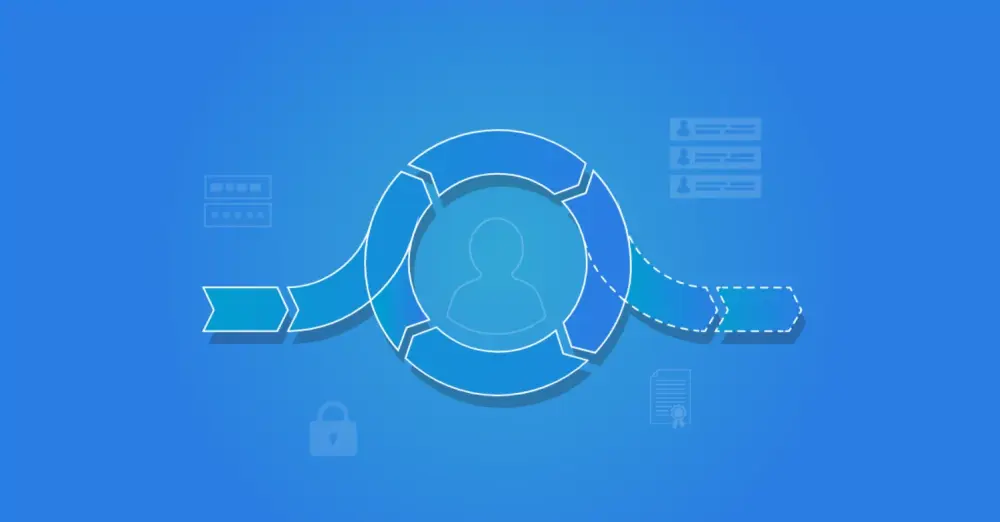
Identity Lifecycle
Just as your real-world identity evolves, so do your digital identities and accounts. Your digital identity can vary across processes or systems. As your role, position, or status within an organization changes, so do your digital identities and accounts. This creates an identity lifecycle. But what exactly do we mean by this term? And how do you manage an identity lifecycle?
What is an Identity Lifecycle?
The identity lifecycle refers to the distinct phases of a digital identity or user account, from creation to deletion. The lifecycle covers all steps in managing a user's identity, including creation, activation, transition, deactivation, and deletion.
What is Identity Lifecycle Management?
Identity lifecycle management is an essential component of IAM and provides a streamlined and secure way to manage user accounts. By managing the identity lifecycle effectively, organizations can ensure that the right people have access to the right information at the right times and minimize the risk of unauthorized access to their data. It can be done manually, although this requires excellent communication between managers and the IT department. Automated management is far less complex and time-consuming, and it reduces the risk of errors.
The Phases of the Identity Lifecycle: CRUD
The identity lifecycle phases broadly follow the CRUD (Create, Read, Update, and Delete) processes within an organization. These terms are therefore often used together. Below, we present the different identity lifecycle phases both visually and in text.

1. Creation
The creation or onboarding phase is the first phase of the CRUD process. It refers to creating a new identity for a user when they first join an organization. This phase includes two user management tasks: creating an account and activating an account.
When creating an account, basic information about the new employee is collected, such as name, job title, and the team they will join. This information is then entered into the HR system by the new manager or the HR department. Once the employee has been fully entered in the HR system, their data can be read by the IAM solution. This is often when the first user account and an email address are created for the person. It is usually a deactivated account, though we increasingly see organizations granting access to the intranet or learning management system before the start date.
On the day the new employee's contract takes effect, the accounts are activated, and the correct permissions and entitlements are assigned. This enables the employee to be productive from day one.
2. Review & Update
The Review & Update phase is the second phase of the identity lifecycle and occurs when an employee experiences changes in their career or needs. This phase can include various user management actions: creating, updating, and removing user accounts, and granting and revoking user rights.
During the Review & Update phase, an employee's needs, rights, and roles can change, for example, when they change position, are promoted, or start using new IT applications. The identity lifecycle is not static. Updating and reviewing user accounts and authorizations is essential to prevent unauthorized access to sensitive or business-critical data and to remain compliant with laws and regulations. In practice, manually updating user accounts and authorizations can be unmanageable for larger organizations. Automated updates and reviews are a better option and reduce the risk of errors. An IAM solution can evaluate data against the authorization matrix after each change to automatically determine which accounts or entitlements the employee should still have access to and execute the appropriate actions, such as creating, granting, deauthorizing, or disabling accounts or entitlements.
With self-service and workflow capabilities, users can obtain temporary access to specific information or applications without IT intervention. Combined with automated updates and reviews of user accounts and authorizations, this phase of the identity lifecycle can be managed efficiently and securely.
3. Deactivation
The final phase of the IDU process is deactivation or offboarding. This phase occurs when an employee leaves the organization. It includes two separate user management steps: disabling accounts and revoking rights, and deleting/archiving accounts and/or data.
It is critical to ensure that, at the time of termination, all the employee's user accounts and authorizations are deactivated immediately. This minimizes the risk of unauthorized access to sensitive business data. Through integration with the HR system, the IAM solution knows when an employee will leave the company. On that day, the IAM solution disables all user accounts and removes authorizations. This prevents a malicious former employee from stealing sensitive data, such as customer information, intellectual property, or account credentials, or from damaging your environment. It also prevents orphaned accounts. Orphaned accounts are accounts no longer linked to an active user that continue to linger in your IT environment. This digital debris obscures your ability to accurately assess all current digital identities, access rights, and privileges. It also consumes unnecessary storage and licenses.
Depending on internal policy, not all access needs to be revoked immediately. For example, there may be situations where you want to allow the employee to continue retrieving pay slips after the end date. Over time, user accounts can also be automatically deleted or archived. Until that point, the account can be reactivated if the person is rehired.
How Can You Optimize Identity Lifecycle Management?
An IAM solution such as HelloID can help optimize the identity lifecycle. Based on a source system such as an HR system, it can automatically create accounts, assign, update, and revoke authorizations, and disable and delete accounts. This not only reduces the chance of errors but also increases productivity. Employees can get started faster because account creation and authorization assignment are accelerated.
In addition, an IAM solution provides a clear overview of all user accounts, which simplifies identity lifecycle management. Reports and dashboards let you quickly see which user accounts are no longer in use, which user accounts are nearing expiration, and what each account has access to.
Related Articles
- How Zero Trust Helps Organizations Reduce Cyber Risks
- From Startup to Scale-Up. Who Still Has Access to What?
- Tips for Your Reorganization with IAM
- Not IAM Compliant Yet?
- Give new employees a smooth start
- How do you ensure a good IAM strategy?
- What is a good order for an IAM implementation?
- How a User Provisioning Solution Helps Your Organization
- Why Do You Need an IAM Solution?