








Testing, go-live, and production
Before going live with a new HelloID implementation, you will want to thoroughly test the configuration. This ensures that your setup delivers the expected results. In this blog, you will learn everything about testing, go-live, and putting your HelloID environment into production. We also share key considerations and tips.
Recently we wrote about testing business rules on a single person, which is a practical method to safely test new business rules without impacting users. In some cases, however, you will want to run a broader test, for example prior to go-live and moving your HelloID implementation into production. In this blog post, you will learn how to perform such a broader test.
A stateful provisioning engine
HelloID is a stateful provisioning engine. In practice, this means HelloID remembers what it has done. This is important because it allows you to trace exactly which changes HelloID performed and why. HelloID takes a snapshot of your source system, compares it to the previous snapshot, and maps all differences, the so-called delta. What HelloID does with these changes is determined by business rules, which precisely define the actions the Identity and Access Management (IAM) solution executes. HelloID always retrieves a snapshot with a pull instead of a push. This ensures HelloID has all the required data to perform its work.

Working with a stateful system provides significant benefits. With evaluations you can predict the impact of your business rules. This is only possible if you also know the previous state and therefore have an earlier snapshot to compare with the new snapshot. You know exactly what HelloID will do in advance, so you will not be surprised. If something unexpectedly goes wrong, the stateful engine makes it easy to identify the root cause. You can see exactly what HelloID did and where it went wrong. Based on this information you can adjust the configuration and resolve the issue.
Impact on testing and go-live
Working with a stateful provisioning engine affects how you test and go live with your HelloID implementation. Before go-live you must pull all accounts into state, which assigns the correct entitlements to all users from your HR system. Once HelloID is running, the IAM solution operates entirely on a mutation basis. In practice, this means the IAM solution performs only mutations based on the snapshots.
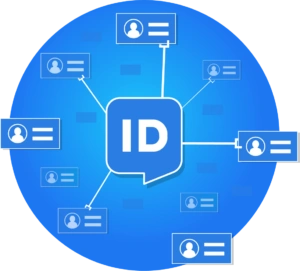
When assigning accounts, correlations play a critical role. If HelloID cannot correlate data, then when granting an Active Directory (AD) account, HelloID will create a new account in your target systems. If correlation is possible, HelloID will update the existing account instead. When performing such an update, it is essential that you configure the connectors to and from your source and target systems correctly. In the connector settings you define in detail which information HelloID is allowed to change and which it must not.
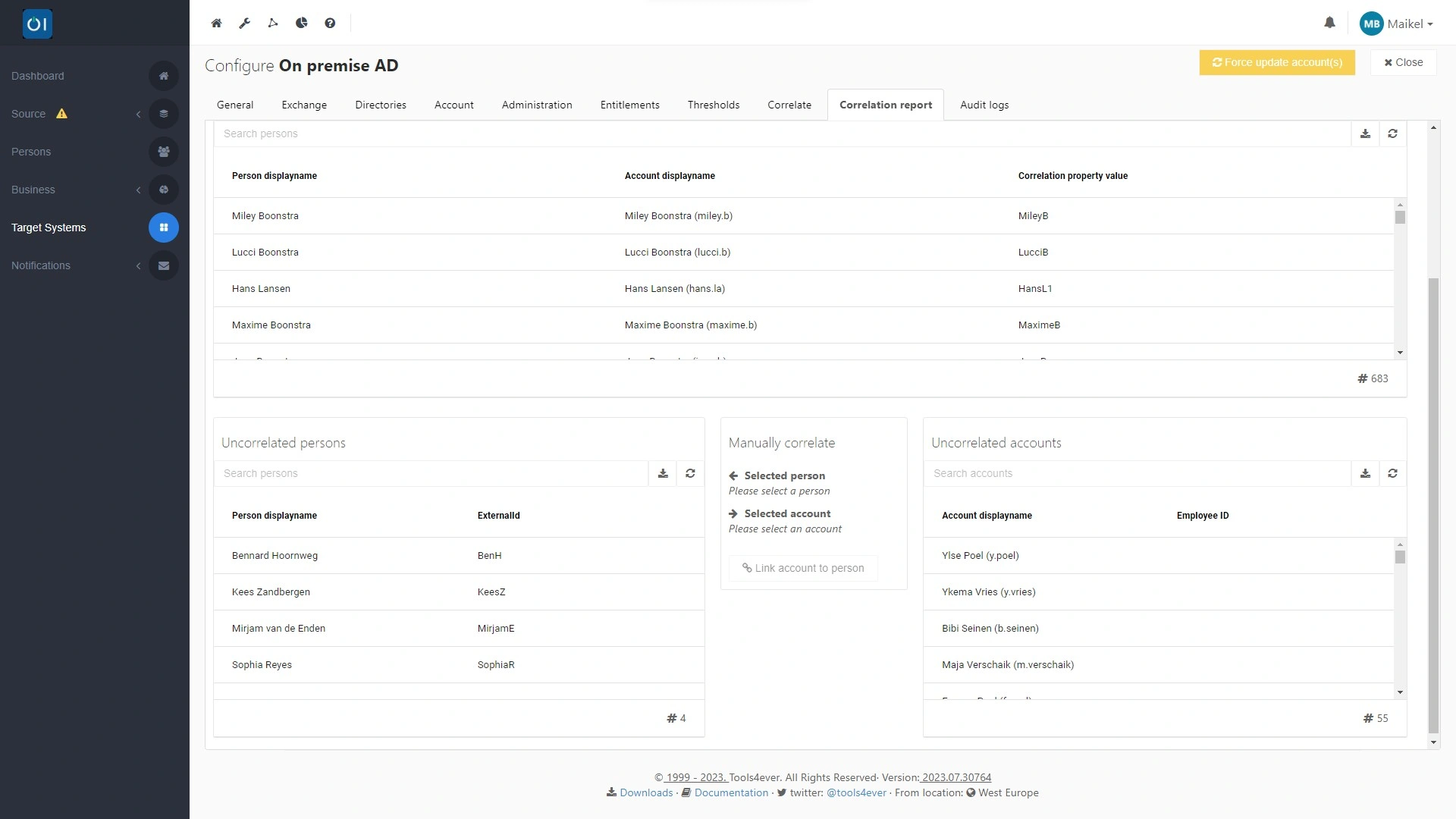
Update the existing population
You remain in control. During correlation you decide whether HelloID leaves existing accounts in your target systems untouched and creates only new accounts according to the HelloID standard, or whether you also want to update items retroactively across your existing population. The latter option is very useful because in many cases accounts were created manually in the past. Over time these accounts become outdated because changes in your source system were not properly propagated. HelloID can update and correct this data for you based on the current data in your source system.
Cleaning up your existing population is possible while pulling your accounts into state. You decide which fields HelloID may or may not update.
Which fields may HelloID update?
The procedure is the same for all target systems. In this example, we focus on the widely used AD. You will find the thresholds in the HelloID provisioning dashboard under 'Target Systems'. Open the connector to your AD environment and go to the 'Account' tab. Then click the 'Configure' button under 'Mapping'. Using data mapping you define in detail which fields you want to update during an update event.
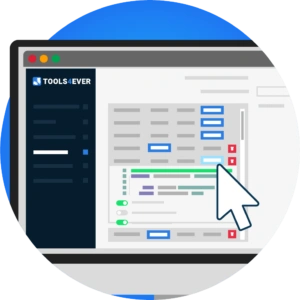
The settings you use here depend on your preferences. You can choose to have HelloID update only nonessential fields, which we recommend when initially loading your user population. To do this, disable the 'Update this field' option for all essential fields, such as the user principal name, the common name, sAMAccountName, and proxy addresses. If you also want HelloID to clean up your AD environment immediately, leave all fields enabled so HelloID includes every field in the grant. If you prefer to create a baseline and therefore a starting point from which HelloID may perform changes going forward, turn off all fields so HelloID takes over the data without changes.

After HelloID has loaded all accounts for the first time, you can enable all fields again so HelloID can update these fields going forward. If a future snapshot of your source system shows, for example, that a user's last name has changed, HelloID will adjust it automatically from then on.
Thresholds provide extra assurance
Do not forget to review your thresholds critically. Thresholds are limits that provide extra assurance when HelloID modifies data and can be viewed as your robustness guarantee. With thresholds you define that if changes exceed limits, HelloID may not execute them automatically. In that case, the IAM solution blocks the change and presents it to you first. You can then approve or reject each change manually. This keeps you in control and maintains full oversight, which provides additional assurance during go-live.

You configure thresholds in the connector settings for your source systems, available under 'Target Systems' in the provisioning dashboard. Then go to the 'Thresholds' tab. During testing, we recommend setting 'Count' to '1' for 'Revoke' in all cases and leaving the percentage at 5. This ensures HelloID never revokes accounts or entitlements without your explicit approval.
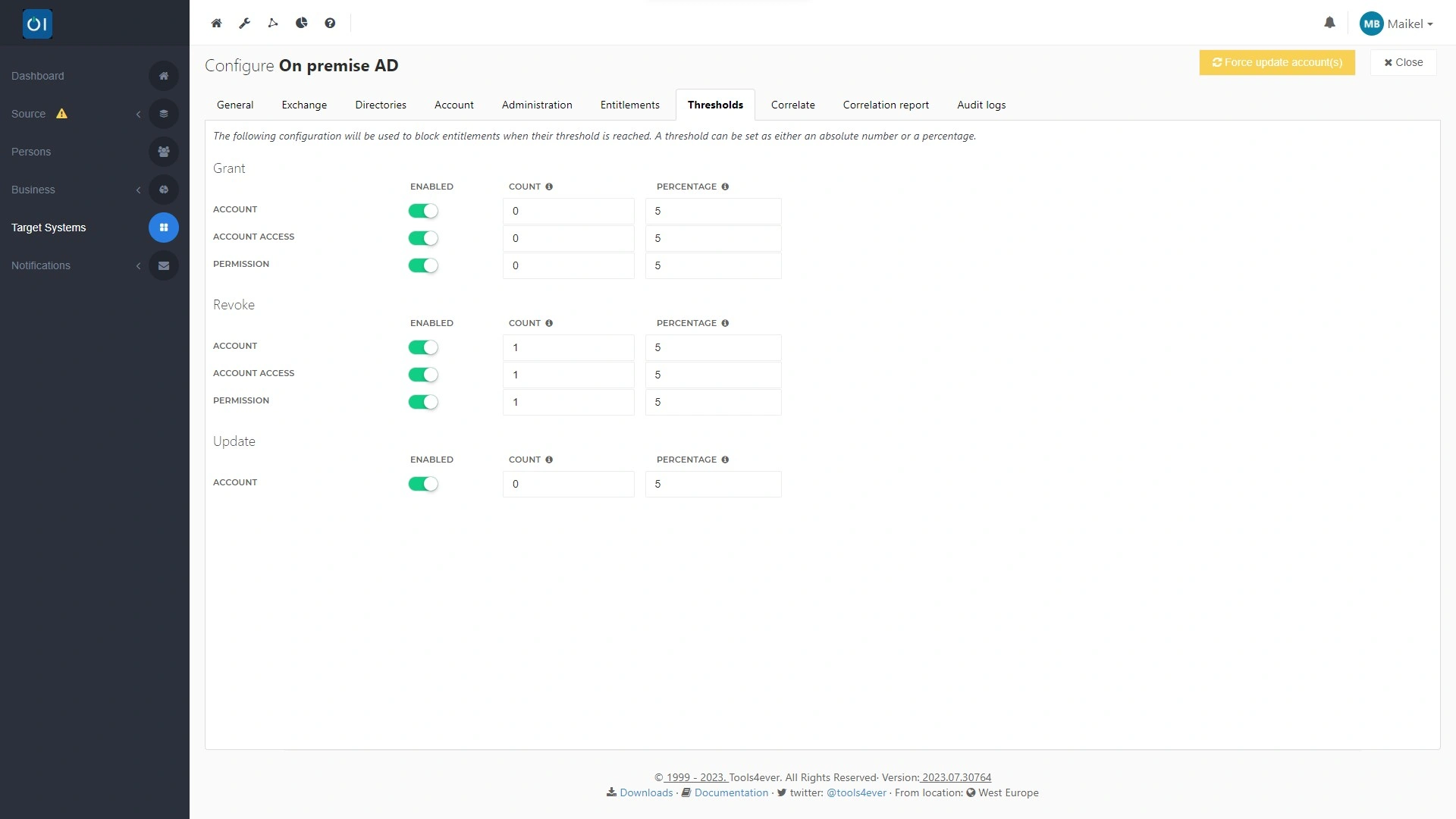
You can also consider setting 'Count' to '1' for 'Update'. In practice, this means HelloID may not update any account and must present all updates it intends to perform to you first. This is especially helpful during the initial go-live of your HelloID implementation, since it keeps you in control of every update HelloID performs. If you have been working with HelloID for some time and see that all settings are configured correctly, you can lower this threshold to '0'. HelloID will then perform these updates without your intervention going forward.
Evaluation
Ready to test your HelloID implementation and configured business rules? You can run an evaluation to easily assess all configured business rules. This is a so-called 'read-only run', in which HelloID determines, based on the business rules, which actions it would execute during enforcement. It is important to note that the IAM solution does not actually execute these actions. A 'read-only run' allows you to safely verify whether all configured business rules produce the desired actions.

You can find the results of this evaluation in the provisioning dashboard under 'Business Rules' and 'Evaluations'. There are a few points to consider when reviewing the evaluation. HelloID shows a 'create' action for all accounts, even if an account already exists in HelloID. This is because account correlation takes place only when HelloID creates an account, which is a step that does not actually occur during an evaluation. Also note that an evaluation includes a maximum of five hundred entries. If the number of actions HelloID must perform based on your business rules exceeds five hundred, HelloID will not display all evaluations and the overview will be incomplete. This is especially relevant when evaluating your entire population. After pulling into state, the number of changes usually does not exceed five hundred, and evaluations then provide a complete picture.

Get started
Ready to test, go live, and move your HelloID environment into production? Watch this video, which provides additional guidance. Do you have questions? Contact us.