








Not Complex, But Long Passwords
Thanks to solutions such as Single Sign-On (SSO), you have fewer passwords to remember today. For example, the average HelloID Access Management user starts the workday with a single login, after which they can open all applications from the dashboard with one click. Many people also use a password manager, such as LastPass or Bitwarden.
Our lives are far from passwordless. There are still many situations where a password is required, and with HelloID and a password manager, you still need to remember your central password. That password must be strong.
Many organizations define their own password policies, including requirements for password length and password change frequency. The common rule that a password must be complex, with uppercase letters, numbers, and special characters in addition to lowercase letters, is still widely used. Auditors often require this as well. That is odd, because people struggle with such passwords, which are not necessarily secure, when they can be much simpler and demonstrably more secure.
In this blog, we analyze the topic in detail. What do we mean by a strong password? How do you calculate password strength? Which approach allows you to create passwords that are both strong and user-friendly?
What Do We Mean By a Strong Password?
By a strong password, we do not mean a password that can never be cracked, if such a password exists. We mean a password that is so time-consuming and costly to hack that it does not yield enough return for the attacker.
Many hacking attempts today start with a stolen database containing account data, allowing attackers to search offline for passwords. Passwords are not stored on a server in plain text but as a so-called hash. Hashing is a cryptographic operation that only works in one direction; you can convert a password into a hash code, but you can rarely derive the hash back to the original password.
Example: The password ‘boterham’ is converted using the SHA-256 algorithm to: ed3ace8b92fb5e960596df6dd4e2a6a8346344bac25e12735b0448455c93e05e. This hash is stored on the server. When the user logs in, the typed password is also hashed with the SHA-256 algorithm. If both hashes match, the correct password was used, and the user is granted access.
This makes password storage and login relatively secure. The good news is that the original password is not stored anywhere. The bad news is that attackers can still guess passwords. You generate a password, compute its hash, and compare it with the hashes in the stolen database. If you have a match, you have found the password. Here is the crux. With the computing power available today, you can try millions, or even billions, of password variations per second with a brute force approach. This means that even with astronomical numbers of variations, passwords can sometimes be recovered in a reasonable period of time.
Returning to the earlier question, strong passwords are passwords for which such a cracking attempt is too time-consuming and expensive to be profitable for the attacker. Below is an indication of how long it takes a computer to crack a password with the following parameters. It is important to emphasize that these times are indicative. The actual time to crack a password can vary. It depends on a range of factors, such as the use of words and patterns in the password, the hashing method, knowledge the attacker already has about the possible password, for example, through social engineering or prior data breaches, the amount of computing power used, and the efficiency of the cracking methods. There is no definitive answer to how long it takes to crack a password. We can only provide an indication.
Entropy: How Do You Determine Password Strength?
Is there a concrete measure to indicate and compare password strength? Specialists use the term entropy. The entropy of a password is simply the maximum number of attempts an attacker needs to guess a password.
Two examples:
If you used passwords of only 2 letters (from ‘aa’ through ‘zz’), then there are 26x26 = 676 possible variations. Your entropy in that case is 676.
If you use passwords of 8 letters (from ‘aaaaaaaa’ through ‘zzzzzzzz’), then your password entropy is already 268 = 2.09 x 10^11. That is an entropy of 209 billion. The greater the entropy, the stronger the password is, and the longer it takes to crack.
Because entropy calculations often involve enormous numbers, we usually express entropy in units of 2, called bits.
If we note the entropy of the examples above in that way:
676 = 2^9.4. This password, therefore, has an entropy of 9 bits.
268 = 2^37.6. This password, therefore, has an entropy of 37 bits.
Entropy in bits provides a workable measure of password strength. A one-bit increase, for example, from 37 to 38 bits, theoretically means an extra multiplication by 2. That doubles the number of password variants and therefore doubles the time an attacker needs to crack such a password. However, this calculation is a simplification. Treating entropy as an exact science is not entirely correct. Factors such as the use of word lists, patterns, and already stolen passwords can significantly affect actual entropy.
The desired entropy for passwords depends on several considerations. How sensitive are the applications and data to be protected? Which hashing algorithm is used, since some stronger algorithms take longer and are beneficial here? How much time and money does it cost, with current technology, to calculate all variants? There are no universal standards. For important accounts, people often aim for an entropy of 60 to 80 bits today, and for critical applications, even above 100.
Password strength calculator
Our password strength calculator lets you estimate your password's strength. This tool evaluates your password not only by length and the use of letters and special characters, but also by its susceptibility to dictionary and brute-force attacks. Keep in mind that, as noted earlier, this assessment is not an exact science; the indicated strength is only a rough estimate.
Measure password strengthTo be sufficiently secure, the chosen password must be truly random. In that case, a brute force approach is required to find it, and the calculations above apply. Many people choose an easy-to-remember password such as ‘wachtwoord123’. Password crackers, therefore, often start with a dictionary attack in which they try combinations and variations of popular words. Such a simple password can be found in a few seconds. The same applies to passwords that have been used more often. If a password has already been cracked before, no matter how random and complex, the hash is known to attackers and recorded in so-called rainbow tables. During a hack, these tables are first compared against the stolen hashes, and the already-known passwords are removed from the system within seconds.
The starting point is therefore: a password with sufficient entropy, not based on variations of known words, and not used before.
Difficult or Long Passwords?
In 2003, the National Institute of Standards and Technology (NIST) published the guideline Electronic Authentication Guideline (SP 800-63). It is advised that a strong password contain at least 8 characters and be complex, including uppercase letters and at least one number or special character in addition to lowercase letters. That emphasis on complexity remained the starting point for years. Only recently has there been more attention to the benefits of longer passwords. Eight characters are short with today’s computing power.
In practice, we are still often forced to come up with passwords that include lowercase letters, uppercase letters, numbers, and special characters. Everyone knows the frustration of creating a password and then seeing red crosses because you have not yet met all requirements. The result is monstrosities like ‘t5RF&*yh’ or creative constructs like ‘Pa$$w0rd’. The latter meets the rules, but it has likely been used often and is undoubtedly on an attacker’s rainbow list.

The annoying part is that such complex passwords are not even that much more secure. The guideline assumes that a password may be short, making it easy to remember. Because for passwords of only 8 characters with lowercase letters a through z, the entropy is only 268 => 37 bits, the use of uppercase letters, numbers, and special characters is required[1]. The effect is limited. The entropy increases to 948 => 52 bits, but these passwords are still not very strong.
Lengthening passwords has a much greater effect. Using only lowercase letters, a password of 16 random characters already achieves an entropy of 75 bits. With 22 characters, you go above 100 bits. Since we are not forced to use difficult special characters, we can create passphrases that are easy to remember and highly secure. You can also easily include numbers and symbols in a passphrase to make it even more secure. The phrase ‘Watdom:53x10isgeen531’ is easier to remember than ‘t5RF&*yh’ and much stronger.
[1] So 26 lowercase letters, 26 uppercase letters, 10 digits, and 32 special characters equals 94
How Strong are Passphrases?
Passphrases deserve a disclaimer. Suppose we ask users to choose a passphrase of at least 5 words. Such a passphrase contains about 25 letters[2]. If you calculate the entropy in the usual way, then even with only lowercase letters, it is 2625 => 117 bits, which is extremely strong.
That calculation reflects the maximum strength because it assumes unlimited letter combinations. The calculation for passphrases is different. There, entropy equals the number of different phrases you can create. Let us assume that we have a shared Dutch vocabulary of one million words[3]. In theory, you can create (1,000,000)5 different five-word phrases. The entropy is then (1,000,000)5 => 99 bits. That is still very strong, but clearly less than a fully random string of 25 characters.
Moreover, people usually create correct and meaningful sentences. Not something like ‘Ik loopt boom toe gemiddeld’. Not all words are used equally often, either. With linguistic rules and statistical knowledge about word and sentence usage, you can apply much smarter cracking algorithms than a flat brute force approach. You start by checking common sentence structures and then move on to less likely phrases. There is also low-hanging fruit. You can quickly scan all variants of simple phrases with dictionary attacks, such as ‘ik ben Piet uit Amsterdam’.
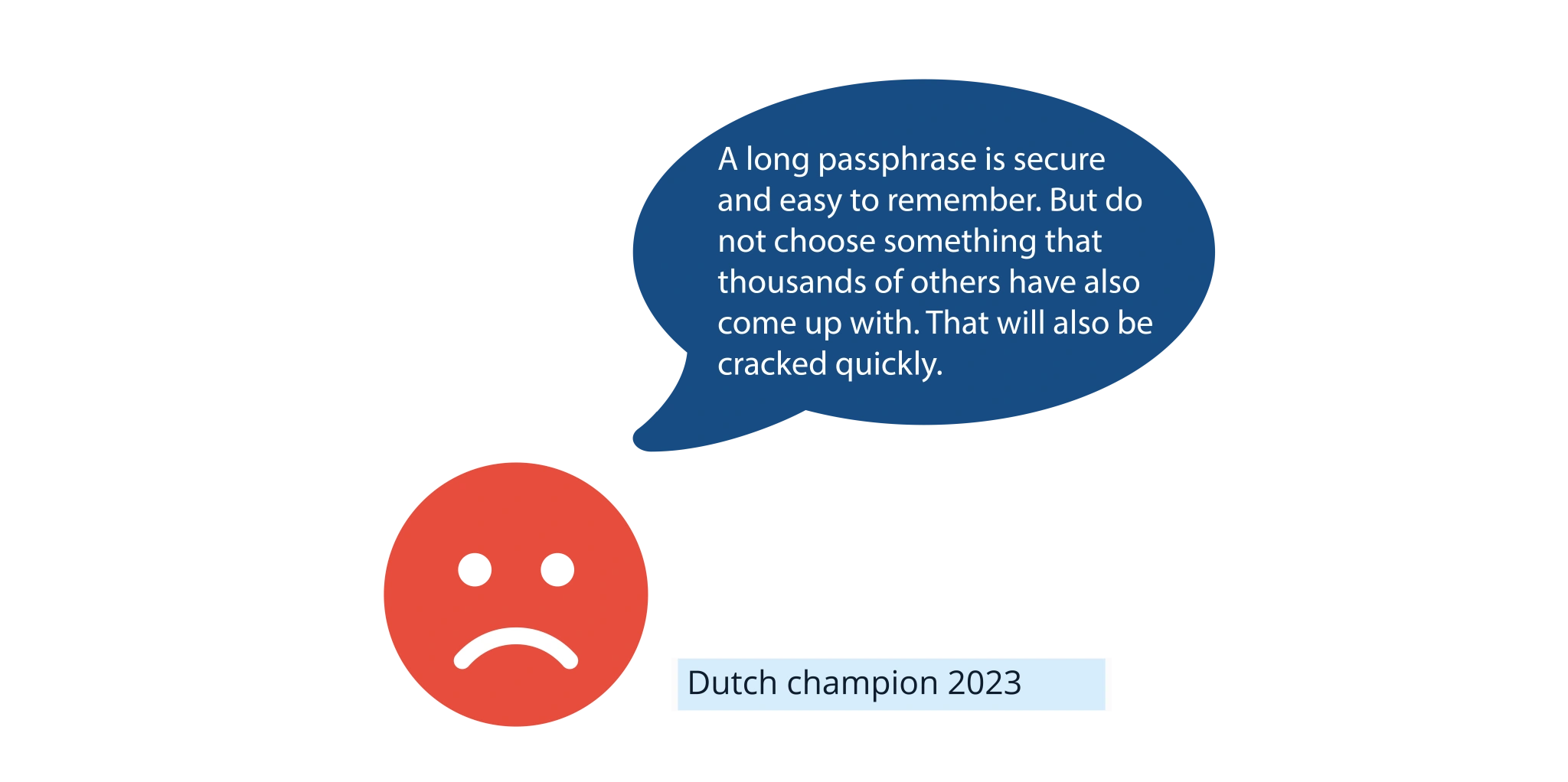
Finally, many people find it difficult to come up with something on their own. They rely on movie lines, such as may the force be with you, song lyrics, such as hier aan de kust de zeeuwse kust, and other texts from our collective memory. Keep in mind that attackers collect endless lists of films, songs, proverbs, quotes, and ad slogans to populate their rainbow tables. We risk having such passphrases cracked in no time.
So are passphrases not secure? They are. Most experts consider passphrases a much more secure solution than short but complex passwords. We must warn users that length alone is not sufficient; a long passphrase gives you the space to add enough personal and unique elements to the phrase, such as a number, an uppercase letter, or an unusual word or sentence structure. If used wisely, a passphrase is always more secure and more pleasant to use than a complex password.
We see that this new approach is gradually being embraced more broadly. The BIO, Baseline Informatiebeveiliging Overheid, now includes the following concrete requirement:
If two-factor authentication is not used, the password must be at least 8 characters and complex. Starting at a password length of 20 characters, the complexity requirement lapses.
[2] Research shows that the average word length in many texts is between 5 and 6 letters. We will use 5 letters here.
[3] Research indicates that the average person knows 42,000 words. At the same time, the Dutch language word list approaches one million words, and some researchers reach several million variants, including all verb forms, and so on. People also know other languages, and if we include proper names, place names, brand names, product names, dialect, jargon, numbers, and more, one million is not excessive
Or Use a Passphrase Generator
Do you want 100 percent certainty that used passphrases are strong enough? Do you want to prevent users from choosing a simplistic movie title? Or do you want to calculate the exact strength of your passphrases for compliance? Then a passphrase generator is the solution.
Tools4ever offers a passphrase generator on the website. You can specify how many words a phrase must contain, and with every click, you get a new suggestion, such as:
fijn-abuis-hakken-belet-loods
The concept is simple and effective. The generator uses a standard word list from which words are chosen at random. The phrase itself has no meaning, but with relatively short words, it is still easier to remember than a shorter but complex password. Because we know the length of the word list, we can also calculate entropy exactly.

Password Generator
With our password generator, you can easily generate a strong, long, and random passphrase.
Generate a passphraseLike Tools4ever, many passphrase generators use a list of 7,776 words. With five-word passphrases, the entropy is (7,776)5 => 64 bits. That is 12 bits stronger than a complex password of 8 characters and already takes 12 times as long to crack. With one extra word, you increase entropy to 77 bits, and so on. There is no bias or influence, so you have a passphrase with guaranteed strength.
Why 7,776 words? Many passphrase generators are based on a concept called diceware. Dice refers to dice. If you do not want to trust an online random generator blindly, you can use real dice and look up the corresponding word in a list. With five dice, you have 6^5 = 7,776 words. There are many diceware lists, some more convenient than others, including Dutch variants. For generating passphrases, our system also uses a Dutch diceware word list.
There is another useful measure to protect your passwords better. We already warned about attackers using rainbow tables. These are tables with hash codes of popular and previously stolen passwords. In a new hack, the found hashes are quickly checked against rainbow tables, and for every match, the corresponding account can be opened immediately.
Fortunately, there is a simple way to prevent this, called salting. When a password is created, and also at every login attempt, a prefix or suffix is automatically added before the password is hashed. This is called the salt. A password including a salt yields a different hash than the same password without a salt, or:
Hash (wachtwoordABC) ≠ Hash (wachtwoordABC + salt)
This makes rainbow tables completely unusable. A weak password can still be found via dictionary or brute force attacks, but the fastest route via rainbow tables is largely blocked.
Salting is an automatic process configured on the server, and you do not notice it as a user. The salt can even differ per user and per password. If someone’s password is stolen and other employees use the same password, which should not happen but does, those accounts are not immediately impacted.
Do Not Forget Multifactor Authentication
The BIO rightly also mentions Multifactor Authentication, MFA. Longer passwords improve access security, but enabling MFA is as important. With MFA, you combine something the user knows, the password, with something the user has, such as a smartphone or hardware token, or something the user is, such as a fingerprint or iris scan. A cracked password is not enough for an attacker, since the user must confirm a login attempt via the smartphone or token.
There are considerations here as well. MFA is used more often, which introduces the risk of MFA fatigue. A person receives so many MFA requests, not only at login but sometimes during sessions, that they approve them almost mindlessly. People may also approve out of annoyance if the requests keep repeating. In a recent Uber hack, the attacker kept attempting to log in until the employee approved one of the MFA requests.
This risk is greater with MFA requests that only require a single click to approve. With push MFA, there is a risk of approving unconsciously. Ensure that the number of MFA requests remains limited. Hence, it's noticeable if you suddenly receive many, and use an MFA solution that requires the user to enter or select a short code, often numeric.

A Few Tips Summarized
Use Single Sign-On (SSO) and/or a password manager so you only have to remember one master password.
Where possible, use longer passwords in your password policy rather than short, complex ones. That is more secure and more user-friendly.
Prefer passphrases. Ensure you are sufficiently creative.
Do not use variations of existing words as a password, or simple and commonly used phrases as a passphrase.
Use a passphrase generator if desired. That ensures the passphrase is strong enough.
Never reuse a password. Check that your systems support the use of a salt and that it is enabled.
Strengthen access security with MFA, but avoid MFA fatigue and be cautious with push MFA.
Tools4ever is happy to advise you on your password policy and the effective use of tools such as Single Sign-On and MFA.
What is hashing?
Hashing converts information into a so-called hash: a string with a limited number of characters (64 with the widely used SHA-256 algorithm) that you can rarely, if ever, reverse back to the original input value. Identical input data always produces the same hash, making it a unique check that securely and easily verifies data. As such, a hash is a secure way to verify passwords. You do not need to store actual passwords on a web server; a list of hashes is sufficient for login. Hashes can also be used to protect data integrity. For example, if you want to verify that a file has not been modified without notice, you can simply calculate the hash and compare it with the hash of the original file. Hashing is also used in Bitcoin and other cryptocurrencies to protect transaction integrity.
What is encryption?
In our case, hashing is used as a secure, efficient verification method for login. However, you also want to securely store and transmit password information. Even if hashes cannot be directly traced back to passwords, you still should not make a database with hashes publicly accessible. If users store passwords in a password manager, it must be extremely well secured. This is where encryption is used. Encryption is the process of encoding digital data with an encryption algorithm (such as AES-256). The encrypted data can only be decrypted and made readable with a specific key. Where hashing works in one direction, encryption is a two-direction process; you can encrypt and obfuscate data, and you can decrypt the ciphertext and make it readable again.
What is salting?
You often hear the term salting in relation to password security. Salting is not a cryptographic operation itself, but a method to make the use of hashing more secure. Hashing is secure in principle, but you can still recover the original password using brute-force methods or rainbow tables. By salting passwords, we make hashing even more secure. A prefix, the salt, is added to a password before hashing. This completely changes the hash, prevents simple use of rainbow lists, and makes the brute force approach much harder.