








How Do I Write a Business Case for IAM
Developing a business case for an Identity and Access Management (IAM) solution is an important step in project preparation. IAM is still too often viewed primarily as a necessary capability and a cost center. A clear business case also shows stakeholders what IAM can deliver.
The primary role of an IAM solution is to manage user accounts and secure access to applications and data. However, by making the right choices, you can also automate many costly manual tasks and achieve significant savings on unnecessary license and storage costs. Beyond these direct savings, a modern IAM solution makes it much easier to remain compliant with security and privacy standards, helping avoid potential fines from data breaches. Because employees gain faster and easier access to their applications and data, your IAM solution also improves productivity. A strong IAM business case provides a clear overview of these benefits and quantifies them as much as possible.
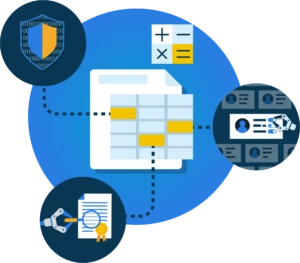
Prevent the business case from becoming only a clinical spreadsheet of pros and cons. The finance manager will require a clear overview of the numbers, but it is also important to describe the central idea behind the new solution. This provides context for the numbers, clarifies choices and dependencies, and supports prioritization. In a good business case, the core of the story fits on the proverbial napkin while the numbers provide the substantiation.
In this blog, we provide an overview of the different IAM cost items, savings, and returns. Where possible, we provide examples and indicative amounts, but the actual business case depends on the specific organization and context.
Costs of Your IAM Solution
The cost side of your IAM business case generally consists of one-time investments and recurring costs. We outline those first.
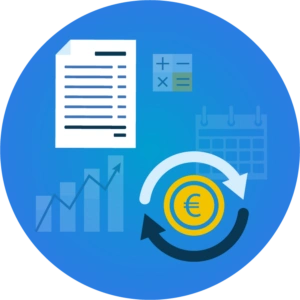
Initial Investment
With a modern Software-as-a-Service solution such as HelloID, you no longer need to invest in on-premises servers and software. The available standard functionality is activated, and the initial investment is limited to the required installation and consulting work, as well as connecting the source and target systems. The effort depends on the modules used:
The Provisioning module establishes a connection between the HR system and the user accounts in the network. This automates the entire onboarding, transfer, and offboarding process.
With the Service Automation module, users can request online access to additional applications or data themselves. Managers can approve online with a single click; the change is then processed fully automatically.
The Access Management module provides employees, partners, and, optionally, customers with simple, consistent access to cloud applications.
For HelloID, many standard approaches and blueprints have been developed, which means a few half-days or days of consulting are often sufficient to activate the various modules.
Recurring Costs
For software use and maintenance, the SaaS model charges a monthly fee per user, depending on the modules used. Thanks to this Pay-per-Use model, you have ongoing control over monthly costs. This ability to scale with the number of users is especially important in environments with high staff turnover, for example, when flexible contractors with their own accounts are used. A similar situation applies to educational institutions with many guest lecturers and rapid changes in the student population.
Direct Savings on Processes, Licenses, and Storage
With a modern IAM solution that automates provisioning and user account management, several direct savings can be realized. Not only are far fewer costly manual actions required, but you also save on accounts, licenses, and storage capacity. We detail this below.

Automating Tasks
Let us first map the reductions in manual actions. The new IAM solution automates onboarding, transfer, and offboarding, as well as the joiner, mover, and leaver (JML) processes. Thanks to the HR system integration, accounts are automatically created for new employees, and Role-Based Access Control (RBAC) ensures each employee receives the correct rights immediately based on their role. If someone later moves to a different role, the corresponding rights are updated automatically, and when someone leaves, no manual steps are needed to deactivate the account. Many other service processes can also be automated, such as requesting and approving specific applications or processing a name change.
The financial benefit can be calculated accurately. Most organizations know their exact hiring and separation figures, while internal mobility is increasingly well recorded. On an annual basis, this can easily involve 20 percent of the total workforce. That percentage can increase as organizations operate more flexibly with temporary staff, contractors, self-directed teams, and partners.
The IT service desk has been responsible for creating, managing, or removing the corresponding accounts and rights. Using recorded help desk metrics (number of tickets, ticket handling time, effort, etc.), we can determine exactly how much manual work can be reduced. The JML actions mentioned often take about 30 minutes each. There are also many related actions, for example, changing account names, adding or modifying special rights, and correcting manual errors.
And that is still conservative if we only count helpdesk hours, because in practice, coordination is often required between HR, team leads, managers, and the service desk to issue and manage accounts and access rights. It is therefore not uncommon in an organization with a few hundred employees for an IT service desk staff member to spend a large portion of their time on account and access management.
Lower License and Storage Costs
With manual processing of employee departures, there are often delays and misunderstandings between the HR department, team leads, and managers across departments and IT. The result is that user accounts are often forgotten and remain active unnecessarily, including the associated costs for data backup and application licenses. Manual management also often causes users to accumulate unnecessary application rights over time. In a new role or temporary project, they request an application, and that expensive license is never revoked. This often leads to structural clutter within organizations, sometimes with dozens of unused licenses and accounts.
This clutter can be quantified by reconciling HR and account data. By linking access rights to a person’s role and automating offboarding, you keep IT resources to a minimum and reduce this cost item as much as possible.
Relationship Between IAM Costs and Savings
With a SaaS-based IAM solution such as HelloID, most costs are directly related to the number of users. As outlined above, many savings opportunities are also tied to the number of users. As an organization grows, the costs of the IAM solution increase, but the savings grow immediately as well. It is useful to show this relationship clearly in your business case.
Additional Benefits for the Organization
Above, we described cost advantages that you can quantify. Your IAM business case is not complete with those alone. IAM also helps you improve compliance, limit potential financial damage from data breaches, and increase productivity. These benefits may have even greater financial impact on your organization, although they are more difficult to calculate precisely.

Improved Productivity and Effectiveness
By automating IAM service processes, we avoid costly manual actions and unnecessary license and storage costs. For many users, it is at least as important that automation removes obstacles and delays. Manually creating, deleting, or modifying accounts and application rights may take only about half an hour, but that says little about the actual lead time. In many cases, coordination is required with HR and the employee's team lead or manager, which can result in delays of hours or even days. When someone cannot continue their work, that is expensive and frustrating. It also harms your reputation as an employer. The new employee who still does not have a working account after two days is already mentally checking out before they have really started. These examples are difficult to quantify directly, but if your new IAM solution removes these bottlenecks, that is a fundamental part of your business case.
Compliance with Privacy and Information Security Guidelines
Every IAM solution manages user accounts and access rights. A full-featured, future-ready IAM such as HelloID goes much further, supporting multiple information security and privacy controls. These controls are necessary to comply with standards such as ISO 27001, BIO, NEN 7510, and the GDPR. By fully automating IAM processes and using Role-Based Access Control, the principle of least privilege is enforced. Errors, unnecessary accumulation of rights, and leaving old accounts open are prevented.
This added value is significant. With these measures, you can demonstrate strong preparation to prevent hacks and data theft. The platform also records all user actions for reporting and audit trails. That is very important because, for example, the Dutch Data Protection Authority can impose fines of up to 20 million euros or, if higher, 4% of global annual revenue. Even though avoiding fines and reputational damage is hard to translate into concrete amounts in the business case, it still amounts to serious money.
Get Started With Your IAM Business Case
A solid and transparent business case helps engage stakeholders in the IAM project. It is not only about numbers and the bottom line. It is about showing the various business benefits of your IAM solution and its dependencies, and quantifying them as much as possible. At the same time, it is also important to mention other potential business benefits, even if they are harder to quantify. Our Tools4ever consultants are happy to help build your specific business case together.