







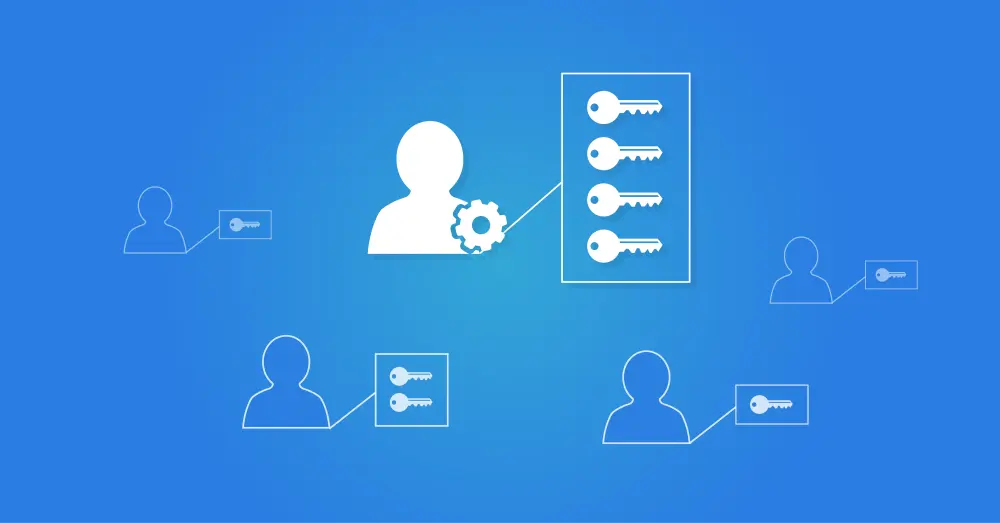
PAM
What is PAM?
In practice, the acronym PAM refers to both Privileged Access Management and Privileged Account Management. PAM manages and secures so-called privileged accounts; these are accounts used to perform critical IT administration processes, such as system administration, network administration, configuration management, and the management of sensitive data. In this article, we describe the role of PAM solutions.
What is the Difference Between Privileged Account Management and Privileged Access Management?
PAM involves two types of functionality that are closely related:
Privileged Access Management focuses on protecting access to privileged accounts. A user with such an account has broad access to IT systems, so it is critical to prevent unauthorized users from misusing them.
Privileged Account Management ensures that the issuance and administration of such accounts are properly organized. Especially in larger organizations, automated management is required to maintain control over who has access to privileged accounts and how many.
What are Privileged Accounts?
First, let us take a closer look at the privileged accounts themselves. In practice, there are different types of such accounts. Examples include:
Administrator Accounts allow system administrators to install software, perform updates, and apply system settings. These accounts also provide access to user data and settings.
Root Accounts provide full control over, among other things, UNIX and Linux systems. With these accounts, you can modify all files and configuration settings.
Using Service Accounts, privileged users have access to applications and services to modify application data and configuration.
Database Administrator Accounts (DBA accounts) are intended solely for database management, including configuration, performance optimization, and data recovery.
With Domain Admin Accounts, you manage domain-wide Windows environments. You can configure system settings, users and groups, and security.
Application Administrator Accounts provide access to, for example, ERP and CRM applications to manage software settings, users, and data access.
Through Network Administrator Accounts, you can configure, monitor, and secure network equipment such as routers, switches, and firewalls.
Backup Administrator Accounts provide specific access to backup systems and are required to configure, manage, and perform restore actions.
These are examples, since in practice the names and capabilities of privileged accounts can vary by organization. Each of them provides the user with direct access to the core of systems, networks, and applications.
In addition to common privileged accounts, most organizations also maintain so-called Break Glass accounts, also called Emergency or Firecall accounts. Break Glass access is intended for emergencies in which urgent access to administrative systems is required, for example, during a hack or other incidents. Still, regular administrators or admin accounts are not available. Regular users can then gain access through such a Break Glass account. Additional procedures and controls surround issuance and use to prevent misuse.
Why is PAM Important?
PAM is extremely important. These are accounts and access rights that provide direct access to the core of your IT environment. You do not want a hacker to copy critical data, alter databases unnoticed, install malware, or change or delete the entire IT configuration. PAM is therefore a critical component of your risk reduction. It is not only about securing access to privileged accounts but also about compliance and process automation:
Compliance with regulations: Many sectors set clear requirements for information security and the use of privileged accounts. PAM solutions ensure that you are and remain compliant.
Internal optimization and security: With PAM, you automate the management of privileged accounts and access rights. No one receives unnecessary access rights, and they are revoked promptly. This prevents misuse of privileged accounts.
How Does PAM Work in Practice?
We already mentioned that, for privileged users, you must organize both account management and access management with extra care. The principle is that regular and privileged accounts are used completely separately. Privileged accounts (or admin accounts) are used only for the special administrative tasks that require elevated privileges. For regular daily work, administrators must also use their standard user accounts.
A standard IAM platform, such as HelloID, can manage multiple accounts for a person and act as the central identity management system. Through business rules, you can ensure that every employee receives a standard account and that administrators also receive an administrator account with elevated rights. This prevents the creation of unnecessary privileged accounts. That is an important requirement within security standards such as ISO 27001, the BIO, and NEN 7510.
There are also specialized PAM systems that support additional procedures and stricter access requirements. Such a PAM solution distinguishes itself by providing real-time protection for administrative systems. For many organizations, Just-in-Time (JIT) access is essential. The administrator receives access only for specific actions, at specific times, or only when a supervisor has granted approval. Administrative sessions are actively logged and monitored; sessions that last too long are automatically interrupted. A PAM solution can also ensure that critical administrative tasks are always performed under the four-eyes principle and support a Break Glass procedure for emergencies.
A Privileged Access Management platform enables the administration of your IT environment while minimizing security risks.
What is a Privileged Access Manager?
A Privileged Access Manager is a security tool that secures access to privileged accounts and prevents security incidents. A Privileged Access Manager solution provides extensive control and monitoring capabilities.
Examples include password policy enforcement, where the PAM system enforces strong passwords and regularly rotates them. PAM also supports Multifactor Authentication (MFA) as an additional security layer when signing in to privileged accounts. All access attempts are logged. You can track who had access, when, and which actions were performed. This enables audit trails and allows rapid detection of suspicious or unauthorized actions.
PAM systems often provide just-in-time access as well. Users receive temporary access to specific systems and data, after which the access is revoked. This reduces the attack surface to sensitive systems and data as much as possible.