
Service Automation: Adoption
Embracing a self-service solution such as HelloID Service Automation provides significant benefits, but also requires changes within your organization. In this blog we outline several steps to help you evolve into a self-service organization and benefit from self-service.
What is self-service?
Self-service can significantly reduce pressure on the service desk and give users, managers, and product owners more autonomy. End users can request products through self-service, while managers, product owners, or key users within your organization can review these requests. HelloID supports two options for this: products and Delegated Forms.

Products
Self-service products allow end users, managers, and product owners to submit various requests independently, including additional privileges, application access, and user accounts. This also includes creating a new mailbox or granting access to project folders. The products increase business self-sufficiency, improve productivity, and reduce the load on the service desk.
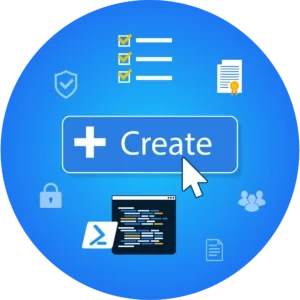
Products are suitable for standard items that end users can request and that have a standard action as output. A key characteristic is that the product remains assigned to the user and can be revoked later, for example if a user leaves the organization or changes roles. You can also configure assigned products to be revoked automatically after a specified period. More information about products is available here.
Delegated Forms
Delegated Forms make it possible to automate a broad range of tasks. With these forms you can standardize tasks and delegate them to other employees. This enables colleagues to perform various tasks without extensive technical knowledge or permissions. An important advantage of Delegated Forms is the ability to delegate tasks to non-skilled or semi-skilled help desk staff and key users within your organization. Key users are easily approachable employees within the business who can perform certain tasks for colleagues. Read more about Delegated Forms here.

At first glance, products and Delegated Forms may appear similar. A key difference is that a product request is fully automated, so users provide little to no information; they simply request the product. A Delegated Form usually requires additional input or contains multiple choices that are completed by the manager, product owner, or key user. As a result, standardizing the request through a product is not possible.
Get started step by step
With HelloID Service Automation you can automate the processing and fulfillment of end user requests to a significant degree. You control the level of automation and can increase it step by step.
Assign products as the service desk
Embracing self-service products can be done in stages. A first step is to create the products, which the service desk then assigns to a user. The existing procedures for requesting, for example, additional access rights or an account that you have been using for longer remain in place. The service desk can handle these requests and the approval more easily. Nothing changes for the user at this stage. It is helpful that this step immediately shows the service desk whether the correct actions are linked to products.

A second step is to place the approval and assignment of a product with a manager, product owner, or key user within the organization. In practice this means that requests no longer go through the service desk, but are handled directly by the stakeholders. The products remain under the service desk’s administration, but you place requesting with a select group of users within your organization.
In a third step you give end users the ability to request products themselves through the HelloID self-service portal. HelloID automatically routes these requests to the designated manager, product owner, or key user, who can review and approve them if desired. In this final step only the administration of the products themselves remains with the service desk, while the department no longer needs to manage the requesting and review of product requests.
You are in control and decide the pace at which you adopt self-service products. You can also choose to combine multiple steps and accelerate adoption in this way.
Delegated Forms
As with adopting self-service products, you can implement Delegated Forms step by step. A first step is to configure the forms for requesting specific tasks. The service desk adopts these forms first and can perform these tasks faster and more efficiently. It is helpful that you can thoroughly test how the forms work without other users in your organization encountering them yet.
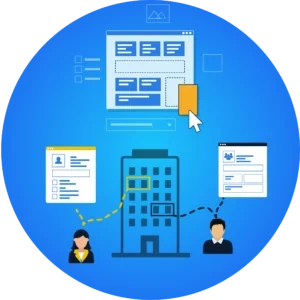
A second step is to 'delegate' the Delegated Forms you created to specific people within your organization. In most cases these are managers, product owners, or key users. This group of users can therefore also test the forms before you make them available to all end users. If this step has also been completed successfully, you can fully roll out the forms and put them into use within your organization.
As with products, you are in control when adopting Delegated Forms. You decide which steps you want to take and what those steps look like. You can also vary this and follow different steps for different forms or underlying actions.
Every organization is different
The way you roll out self-service products and Delegated Forms in your organization depends largely on your specific organization. Every organization is different. For example, which solutions have your users been working with for some time, and how independently do they operate? How mature are the service desk and related processes? Setting up a self-service portal is always a tailored implementation.